Caricamento / Loading
How to delete your data
1 min read
When you use our platform, our system collects essential information to allow us to provide you with our service. You have control over your data and can delete all your Facebook data at any time.
Delete your Login data
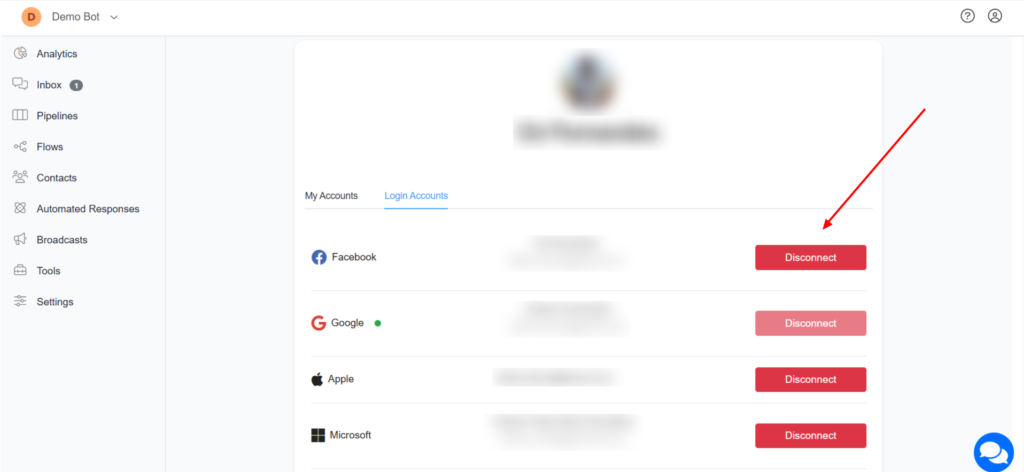
1 – Navigate to Pengo (Open the corresponding section in your own Pengo account.)
2 – Click the Disconnect button. Your Facebook email and Facebook App user ID will be deleted from our system.
Delete Messenger/Instagram/WhatsApp channel
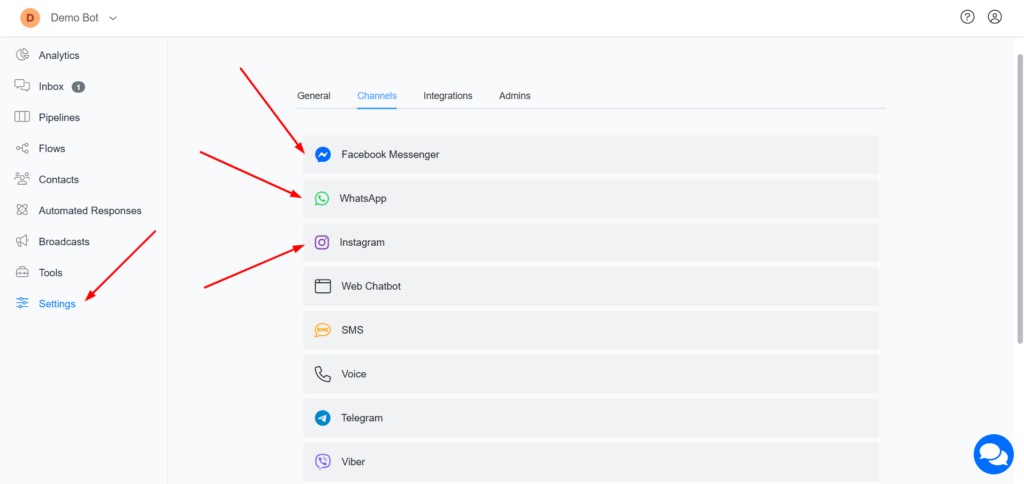
1 – Navigate to Menu > Settings > Channels and disconnect the channel you want to delete.
Delete all data associated with a Business account
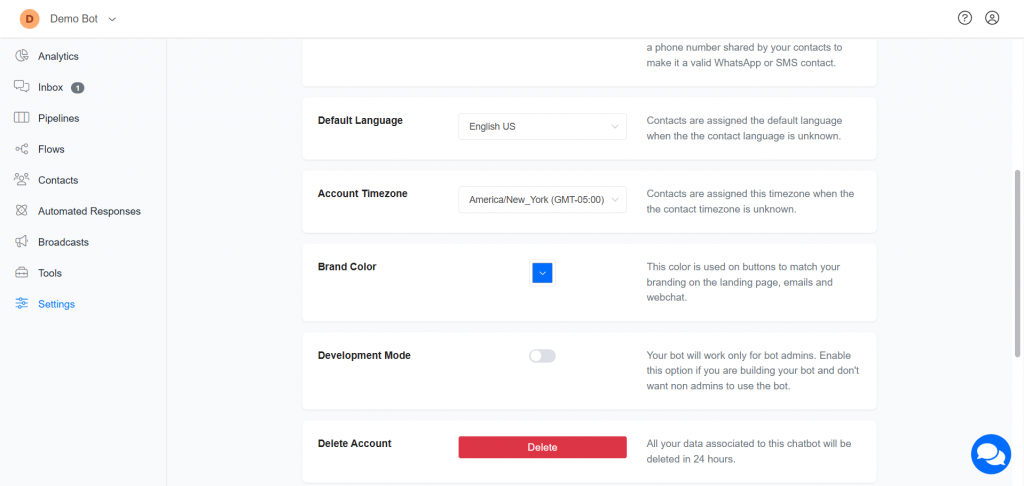
You can delete all contacts, messages, and other data in your business account by deleting a business account.
To delete a business account, navigate to Menu > Settings and scroll to the bottom of the page. There, you will find the Delete Account button.
Images are supplier reference screenshots and may show the original branding.