Caricamento / Loading
How to delete a contact?
1 min read
The Delete feature allows you to easily delete unwanted contacts on your account.
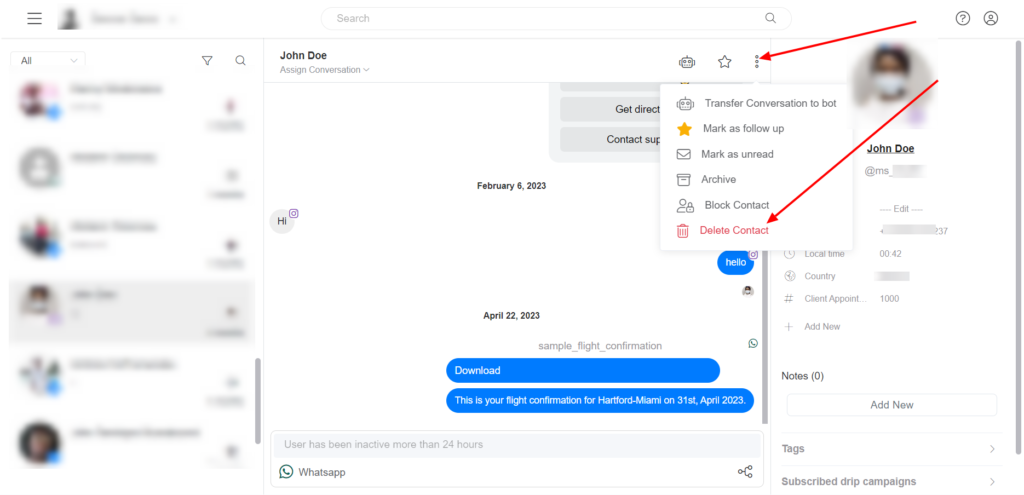
Delete a contact from Inbox.
To Delete the contact from the Inbox, select the contact you want to Delete >> click on the menu >> select Delete.
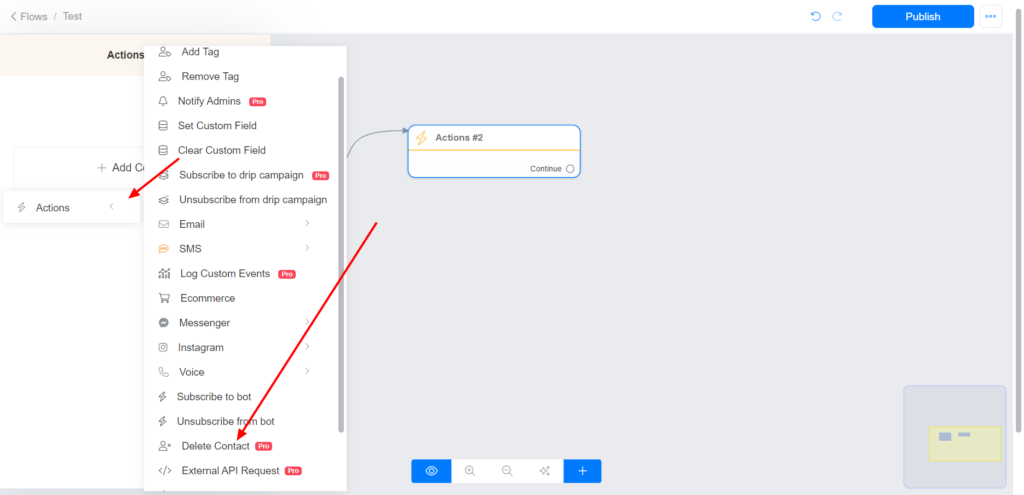
Delete a contact using the ‘Delete’ action in the flow builder
Select Action >> Delete Contact
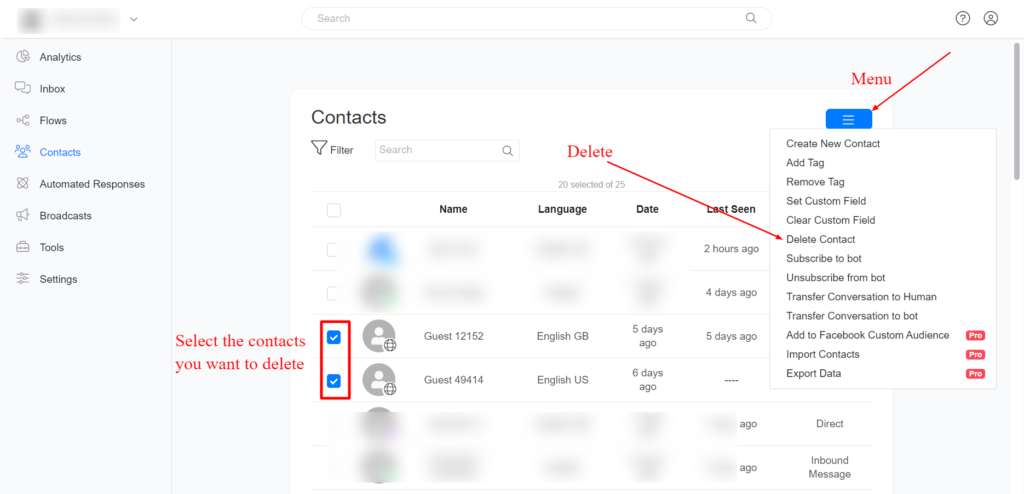
Delete a contact/contacts from the Contact section
Select the contact/contacts you want to delete >> click on the menu >> select delete
Images are supplier reference screenshots and may show the original branding.