Caricamento / Loading
How to import contacts?
1 min read
The ‘Import Contact’ tool is powerful and allows you to import contacts into your Pengo account. With this tool, you can easily import WhatsApp contacts, SMS contacts and also import contacts from other chatbot platforms.
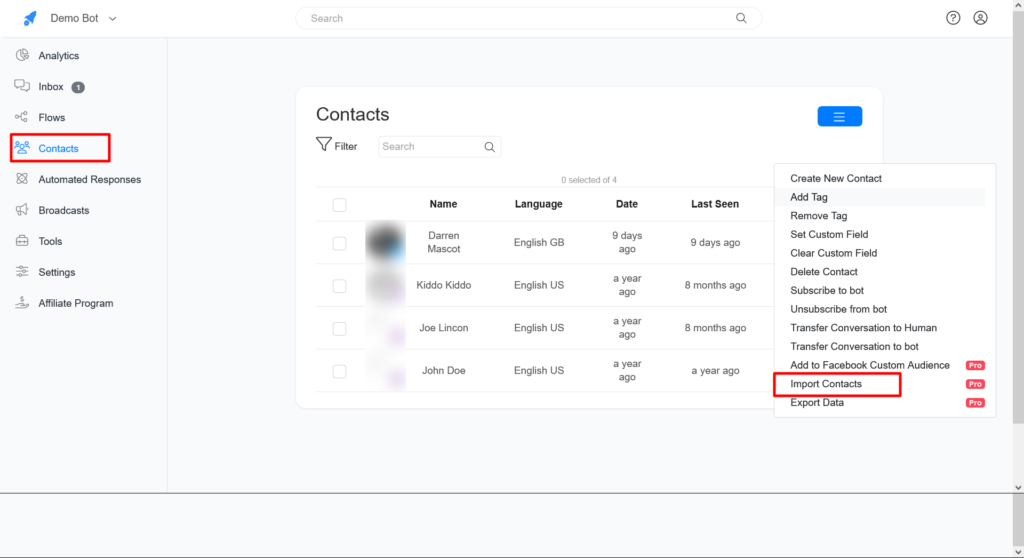
To Import Contact, go to the ‘Contact’ section and click on action >> Import contacts.
Import contacts from other chatbot platforms
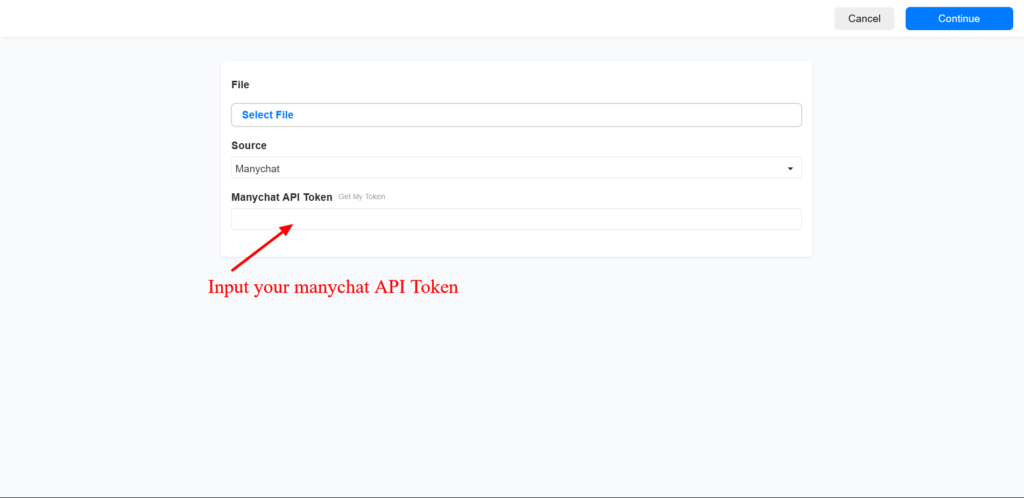
To imports contacts from Manychat, Select Manychat on the source option
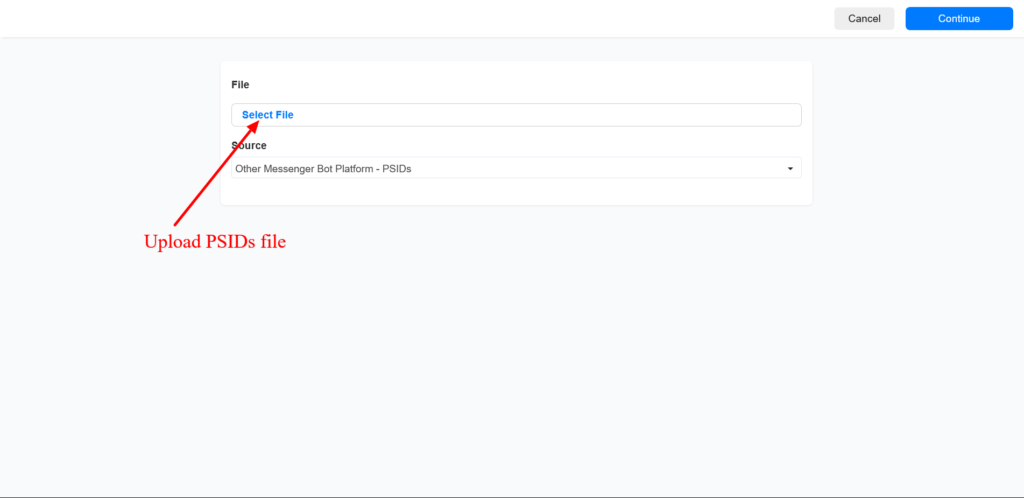
To import contacts from other chatbot platforms different from Manychat, set the source as Other messenger bot platform and upload PSIDs
Import WhatsApp & SMS contacts
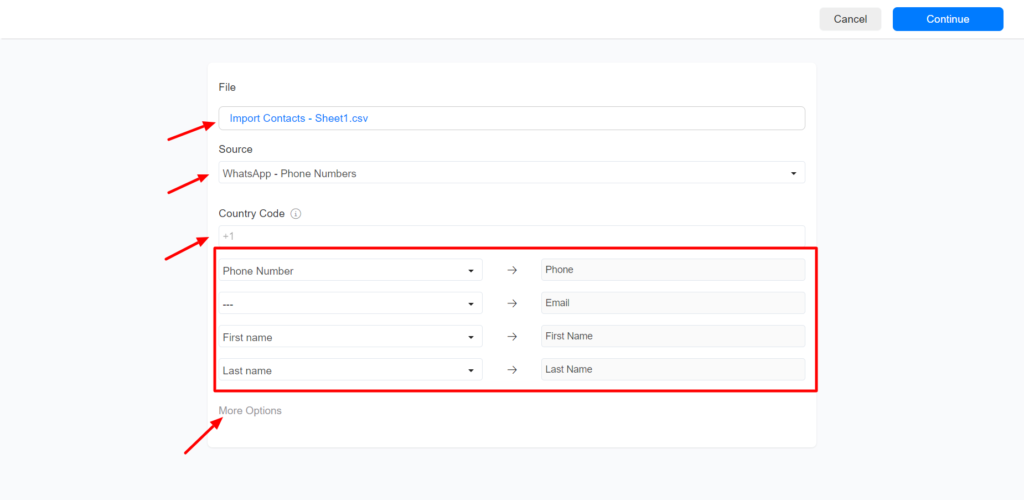
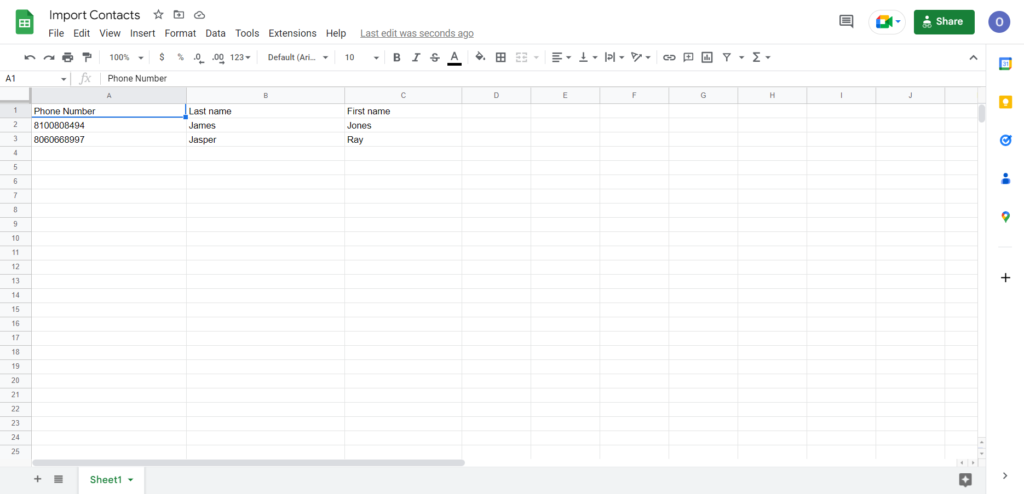
To import WhatsApp contacts or SMS contacts, Set the source to WhatsApp contacts or Phone (For SMS), Set the country code, and upload a .csv or .xlsx file. The ‘More Options’ option allows you to set a custom field or add a tag to the contacts.
Images are supplier reference screenshots and may show the original branding.