Caricamento / Loading
How to send a broadcast message to WhatsApp contacts
1 min read
The broadcast tool allows you to send messages to multiple contacts simultaneously in an automated manner. It helps businesses send their contacts announcements, discounts, updates, and other notifications.
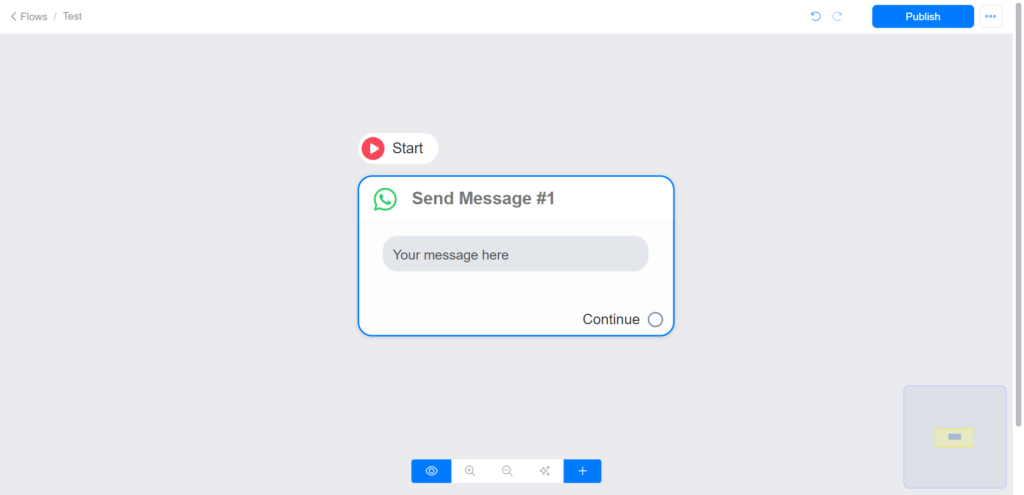
To send the broadcast message to your WhatsApp contacts, create and publish your broadcast flow.
Create your broadcast flow
Send your flow to your contact list
Navigate to Menu >> Broadcast
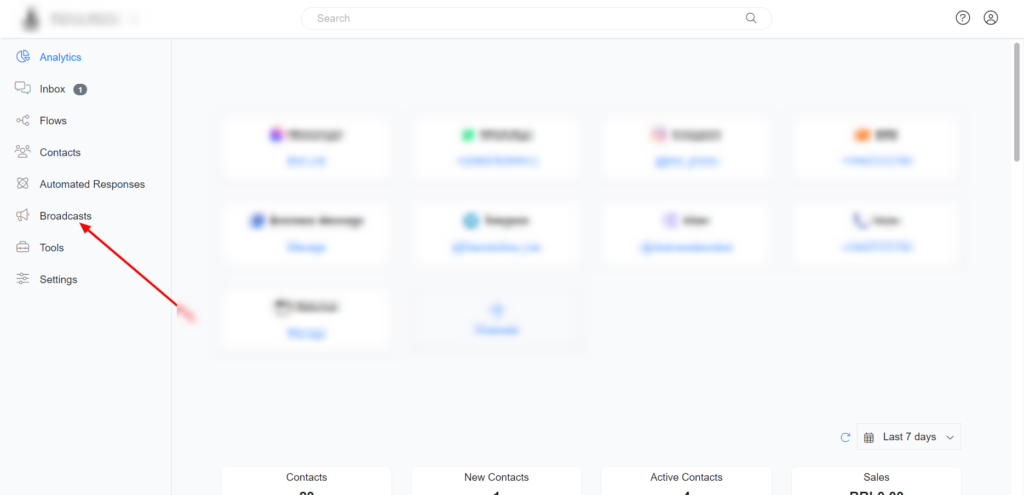
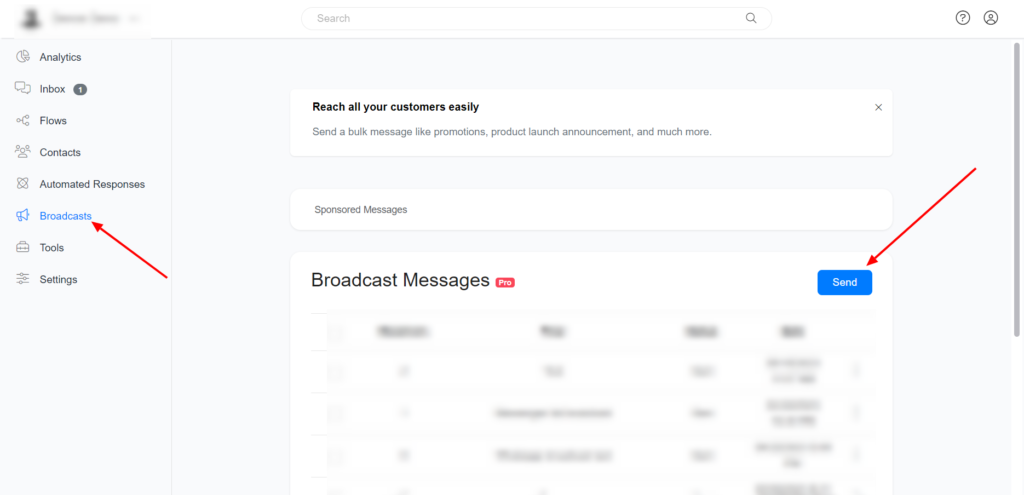
On Broadcast, Click on Send
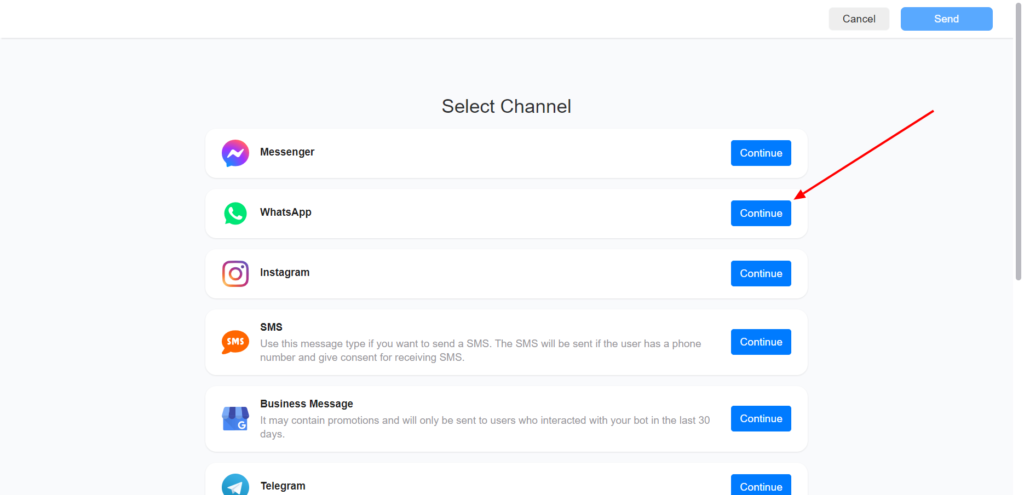
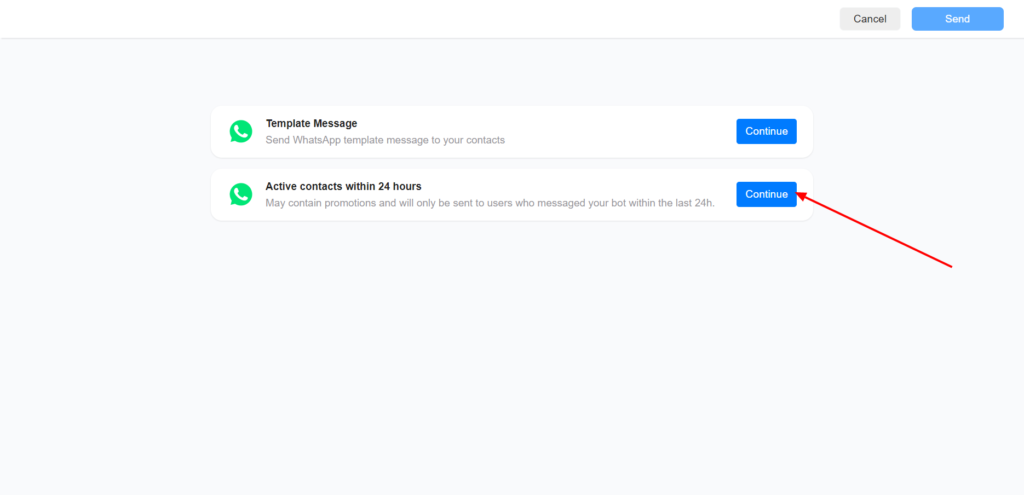
Select WhatsApp channel to proceed.
Select active contact within 24hrs (your message will only be sent to contacts that interacted with your bot in the last 24hrs).
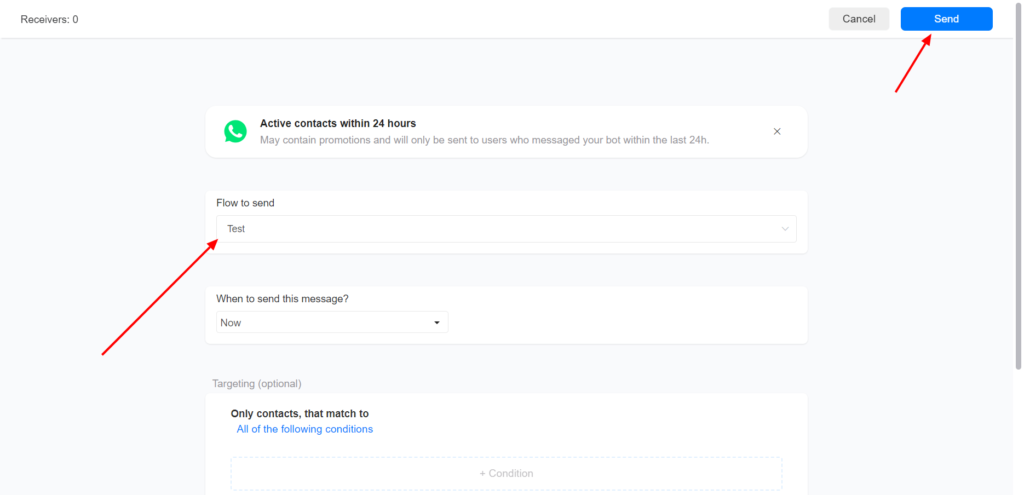
Select your broadcast flow and click send
Sending WhatsApp Template Message
To send messages to contacts that did not interact with your bot in the last 24hrs, you must send a WhatsApp Template Message.
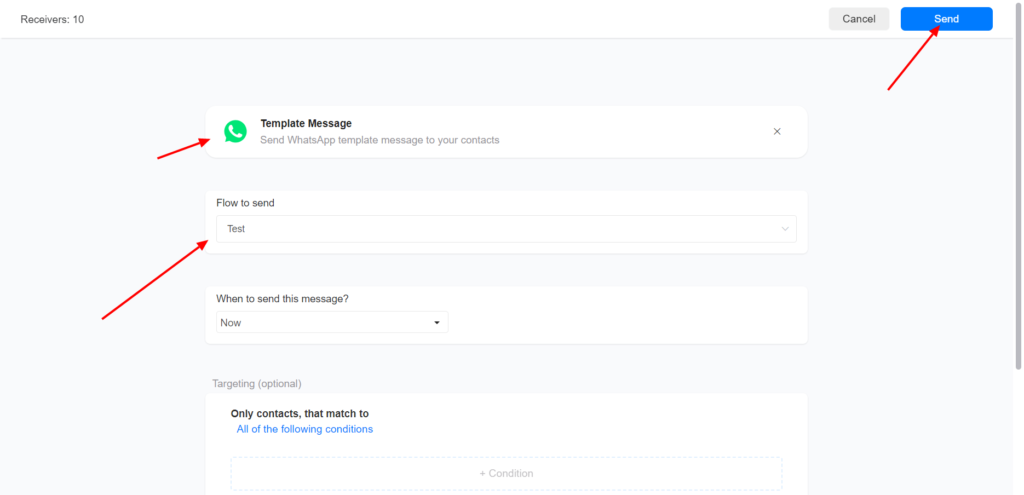
To send a WhatsApp template message on broadcast, create and publish your WhatsApp template message flow.
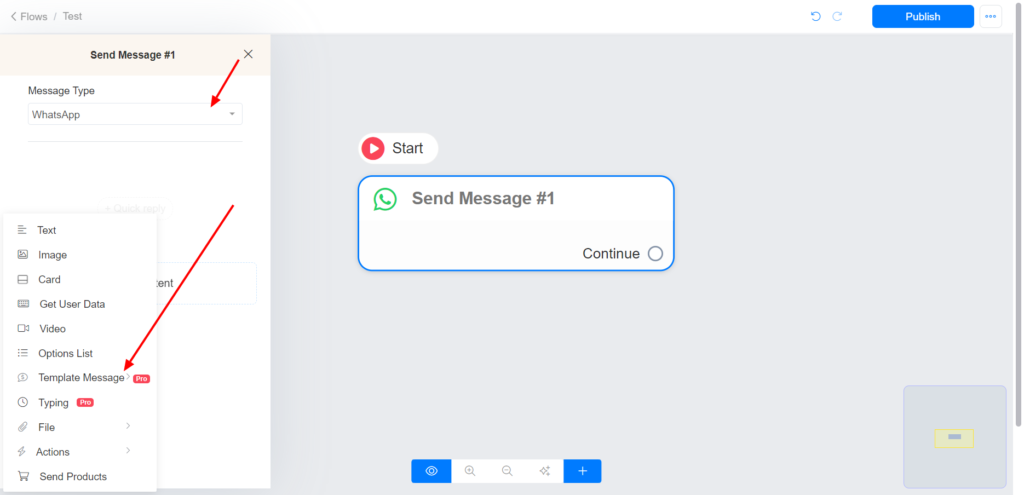
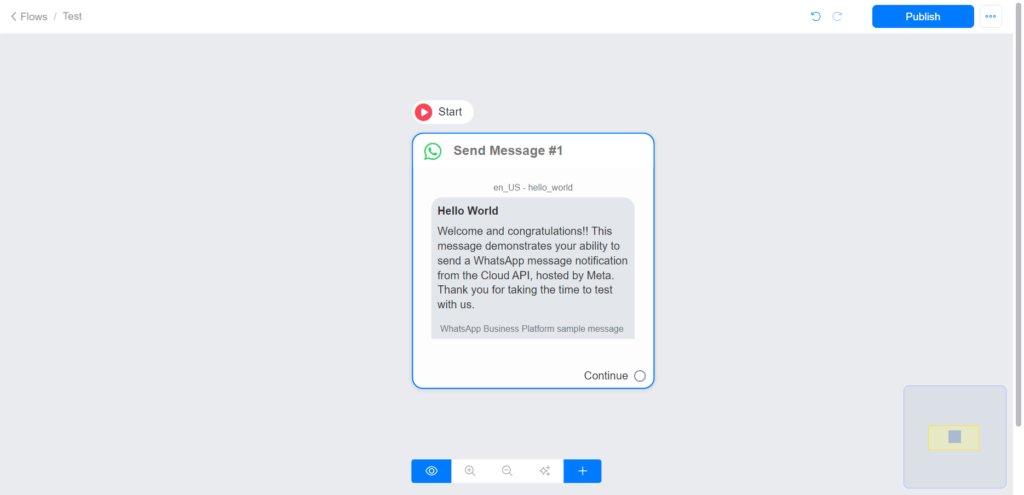
Goto broadcast >> Select WhatsApp channel >> select Template Message
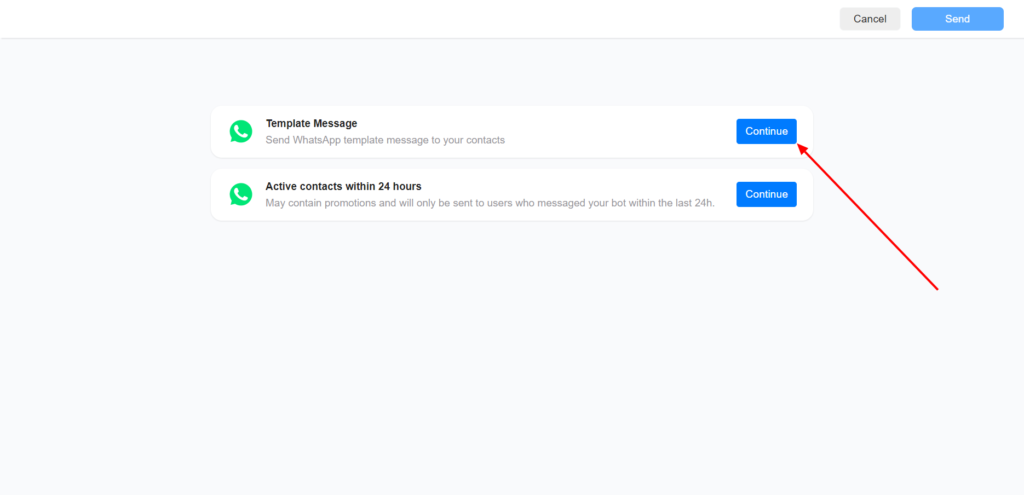
Select your Template Message flow and click send.
Images are supplier reference screenshots and may show the original branding.