Caricamento / Loading
How to generate Images using OpenAI
1 min read
OpenAI allows you to generate images from a text description.
To generate images with OpenAI, first, you need to connect OpenAI in the ‘Integration’ section. Click here to learn how to connect OpenAI. After connecting OpenAI, follow the steps below
Get the prompt
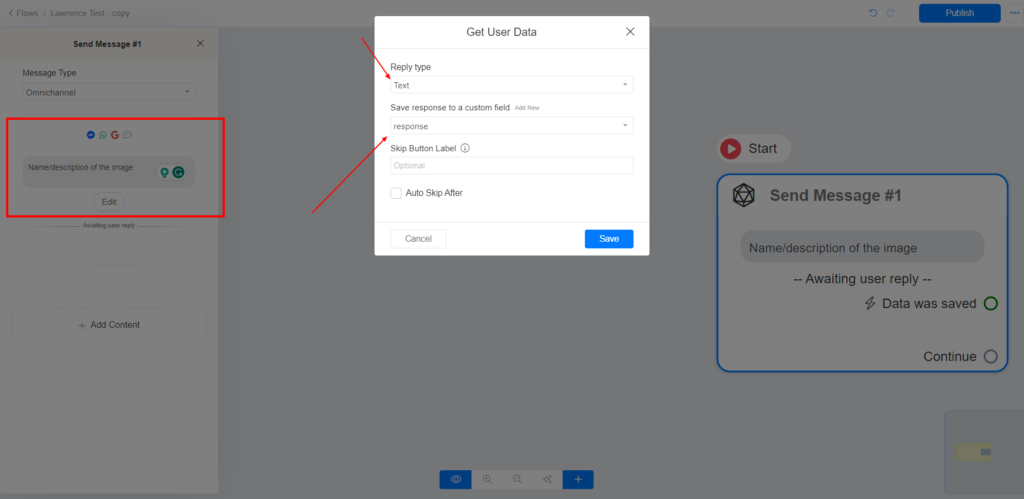
Get the name or description of the image you want OpenAI to generate with a ‘Get user data’ block, as shown below.
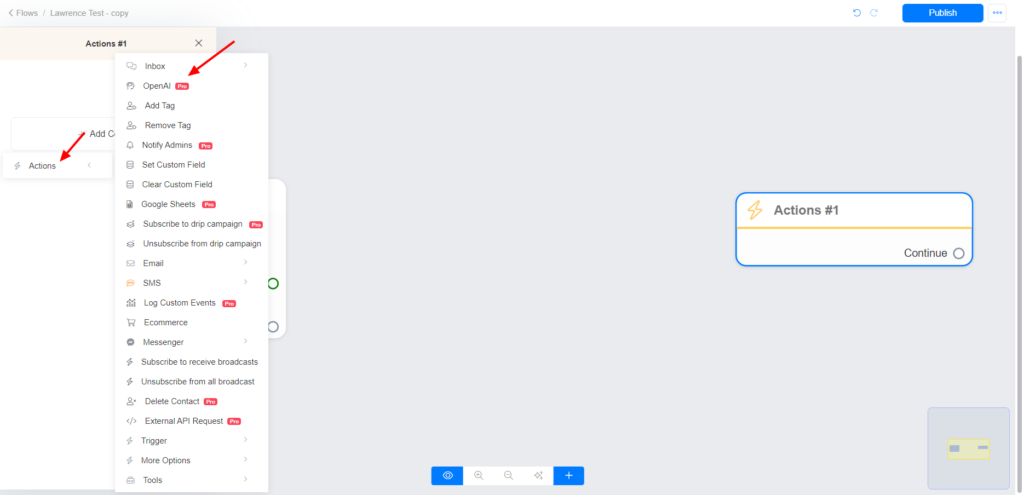
Setup OpenAI action
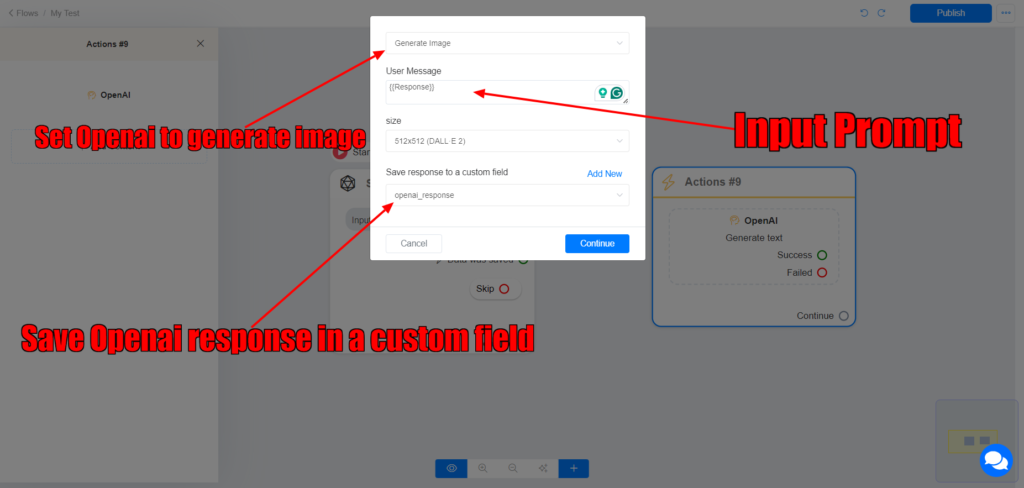
Set OpenAI to ‘Generate Image’ >> Input the prompt >> Save the output in another custom field.
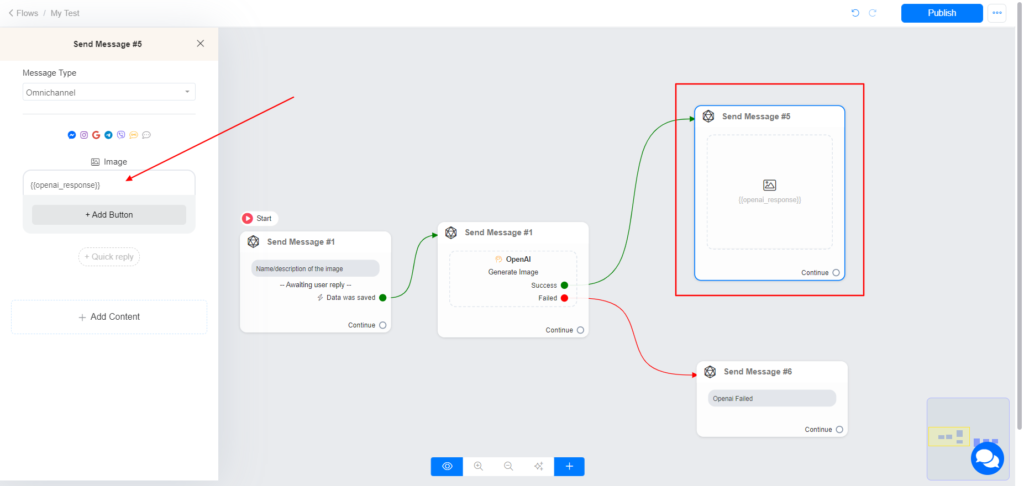
Check the image below.
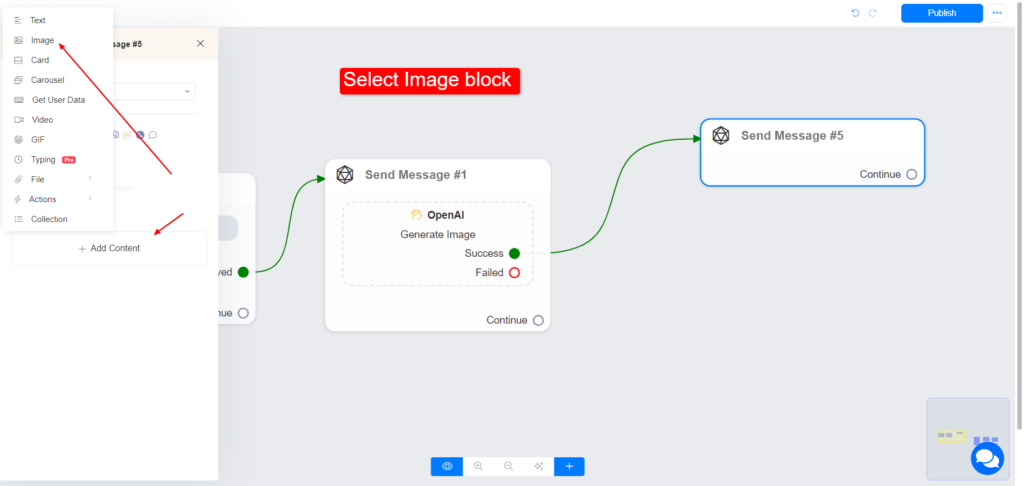
Use the output custom field on an image block
Select an image block >> input the output custom field.
Images are supplier reference screenshots and may show the original branding.