Caricamento / Loading
Pabbly Connect
2 min read
Pabbly Connect integration allows you to send data from your bot to any other apps on Pabbly Connect. Also, you can send data from Any other app to your bot using Pabbly Connect.
How to find and connect Pengo Pabbly Connect App
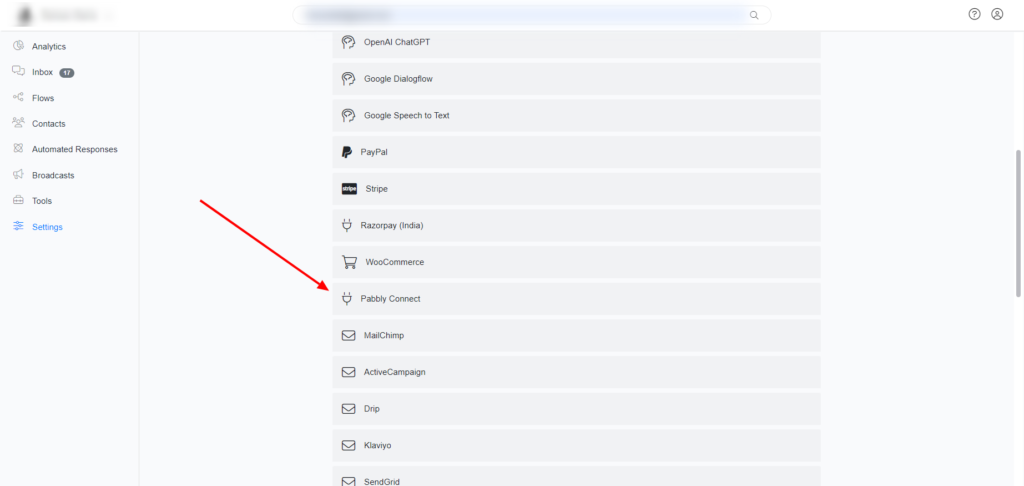
Navigate to Settings > Integration > Pabbly Connect
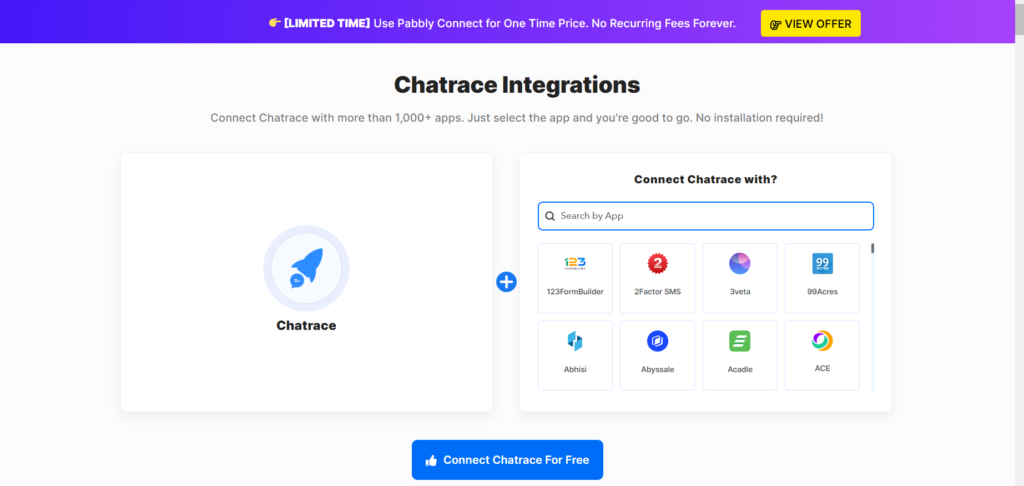
Click the “Connect Pengo For Free” button and accept the invitation to use our Pabbly Connect App.
Send data from your bot to Pabbly Connect.
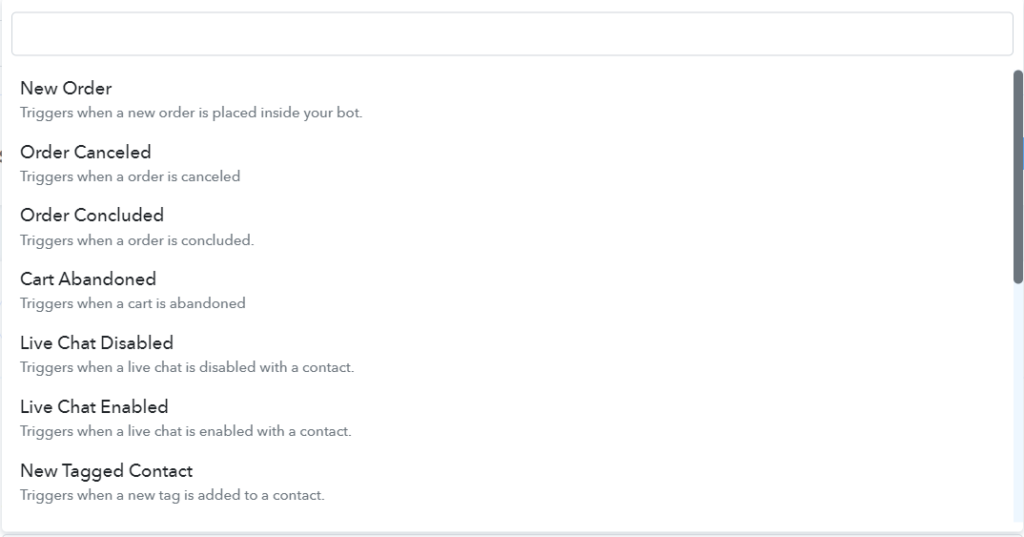
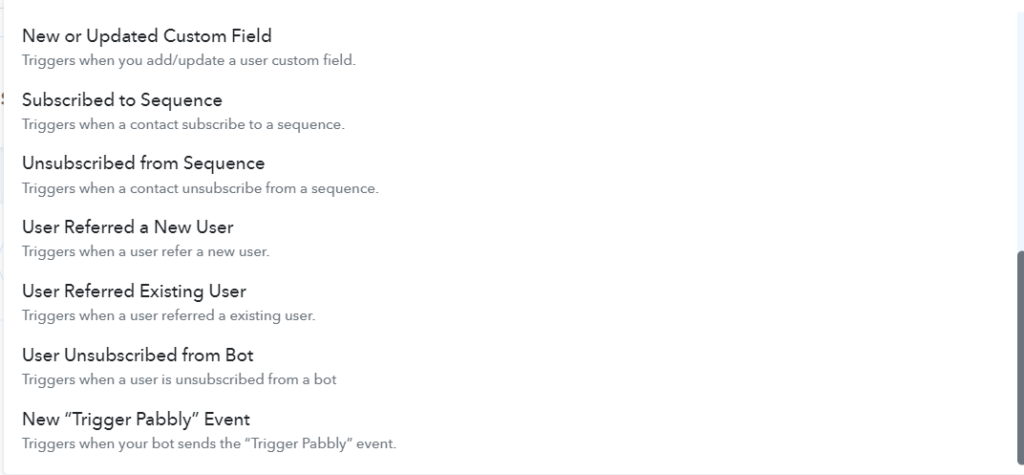
Pengo provides many triggers that allow you to send data from your bot to Pabbly Connect. For example, you can automatically send contact data every time a tag is applied to a contact, a custom field value changes, a conversation is moved to a human or bot, and much more. Please check Pabbly Connect to see all Pengo Pabbly Connect triggers.
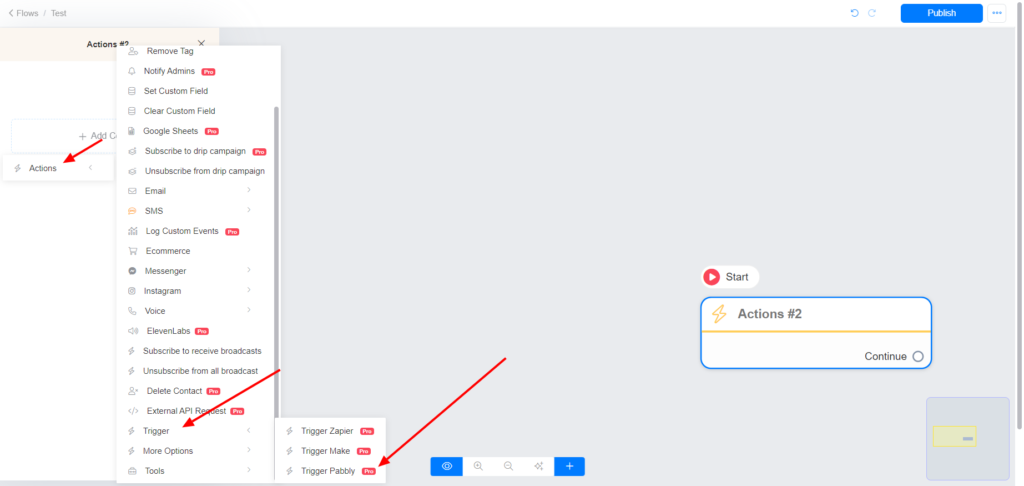
There is a special trigger that allows you to send data from your bot to Pabbly Connect at any time during your automation. Use Actions > Trigger > Trigger Pabbly action. Name your Pabbly Connect action.
After setting up your flow that will send the data to Pabbly Connect, go to Pabbly Connect and use the New “Trigger Pabbly” Event trigger.
Below are triggers available that allow you to send data from your bot to Pabbly Connect.
Send data from Pabbly Connect to your bot.
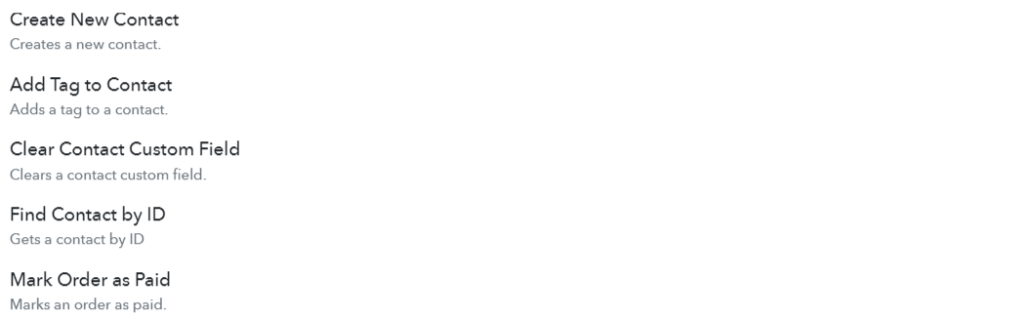
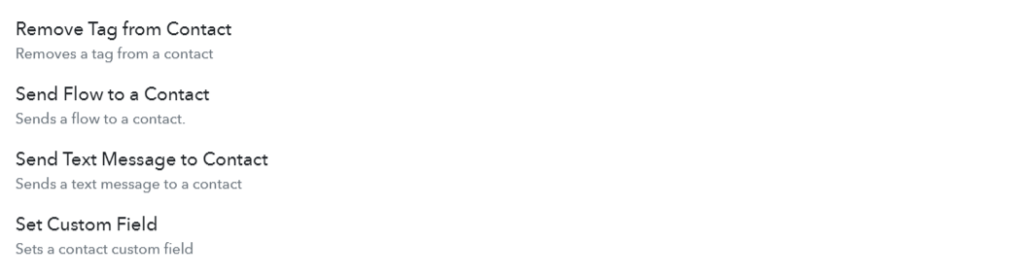
From Pabbly Connect you can add tags to a contact, set a contact custom fields, send flows to a contact, and much more.
Below are actions available on Pabbly Connect that allow you to send data to Pengo or trigger automation from Pabbly Connect.
Images are supplier reference screenshots and may show the original branding.