Caricamento / Loading
Facebook Lead Ads Automation
1 min read
Overview
Facebook Lead Ads is a targeted advertising tool designed to collect user information like contact details efficiently. Our integration allows businesses to automatically add every new Facebook lead to their contact list and run automation immediately.
The most used case is to send a WhatsApp template message to every new lead. WhatsApp is a perfect channel for businesses to qualify their Facebook leads on autopilot. There are other use cases, like sending content by email. For example, a business can run a Facebook Lead Ad requesting an email address to send a free book.
Key Details
- Create your Lead Ads on Facebook.
- Create the flow to be sent to your New Facebook Lead.
- Create Facebook Lead Ads Automation.
How to setup
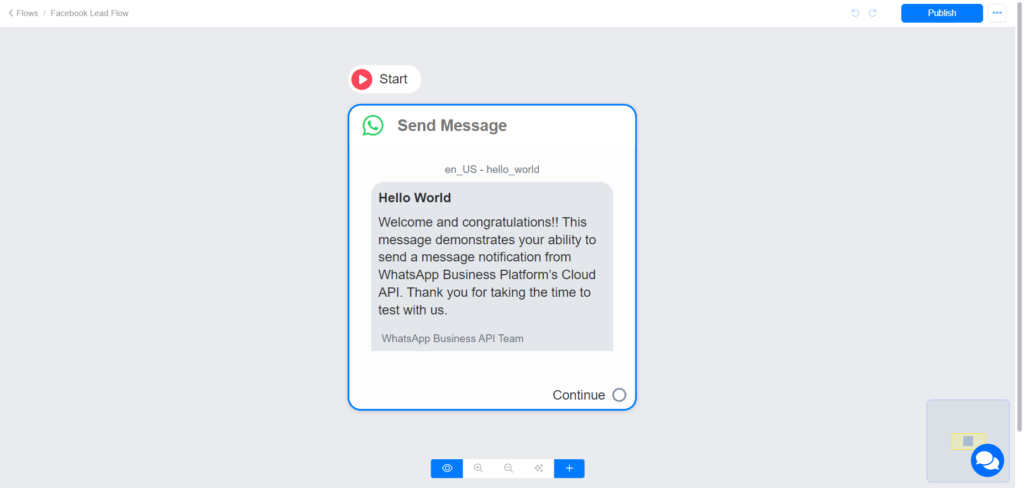
1. First, create a WhatsApp flow that will be sent to New Leads.
Note: You must send a WhatsApp Template Message since you are initiating a conversation with the Lead.
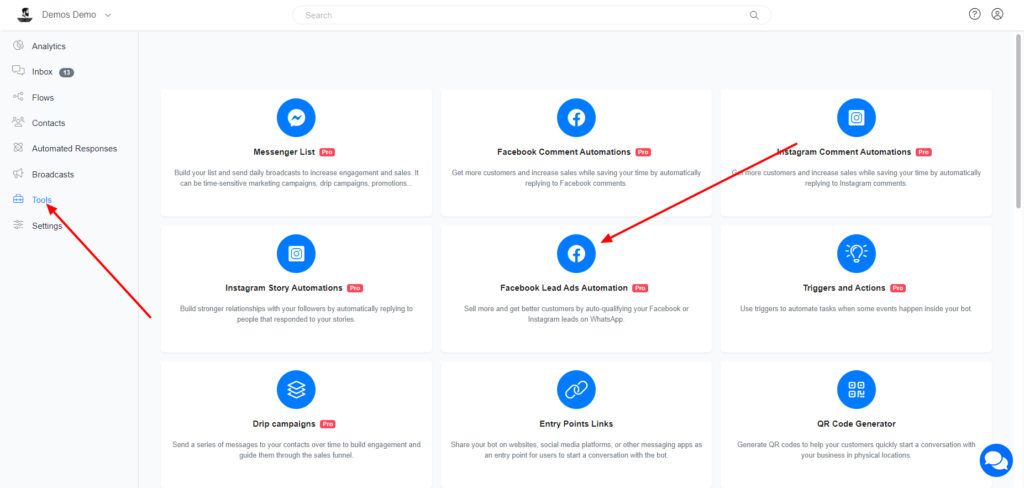
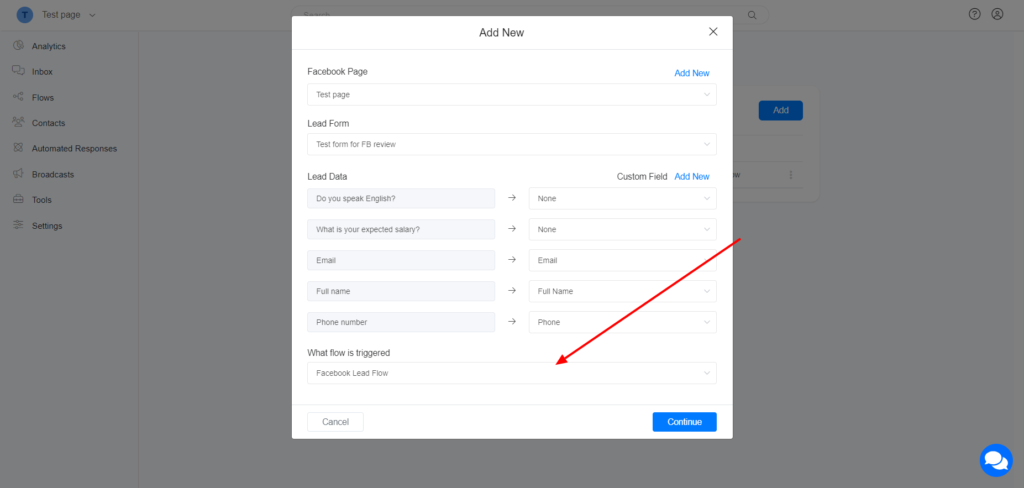
2. Navigate to Tools > Facebook Lead Ads Automation
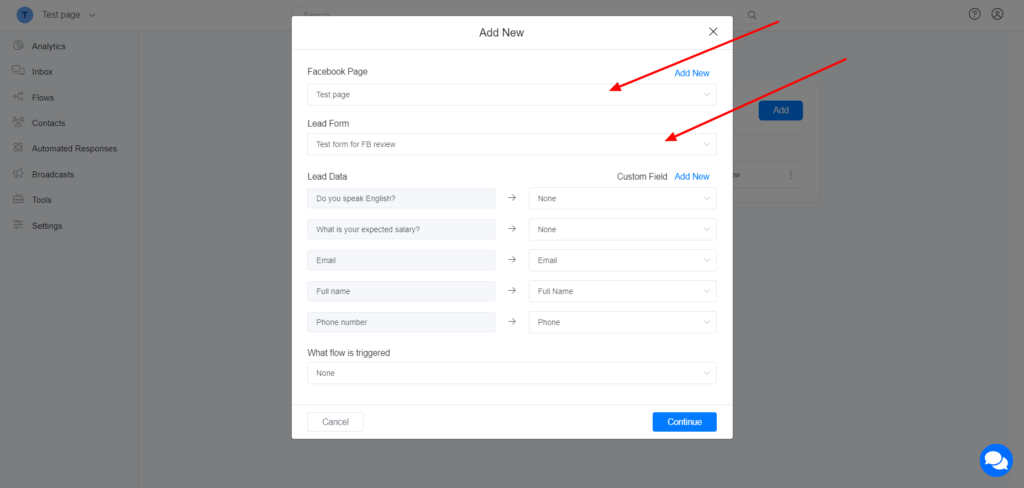
3. Select your Facebook Page and select your Form
4. Map Lead data to Custom Field
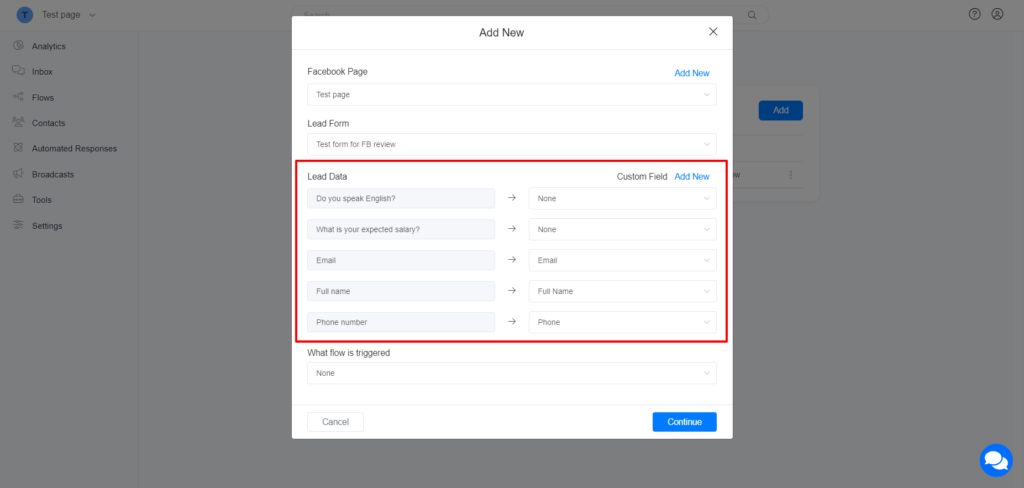
5. Select the flow to be sent to the New Lead
Images are supplier reference screenshots and may show the original branding.