Caricamento / Loading
Messenger List – Marketing Messages
3 min read
Messenger List lets businesses send messages beyond the standard messaging window to users who opt in.
The “standard messaging window” is a 24-hour period that starts when a user interacts with a business on Facebook Messenger. During this time, businesses can send messages related to the user’s inquiry or transaction without needing special permissions.
After this 24-hour window, businesses can’t send messages unless the user has opted in to receive marketing messages or if the message is about specific updates, like a recent purchase.
Businesses can ask users for permission to send marketing messages during the 24-hour window. If a user opts in, the business can send messages about promotions and campaigns outside the standard 24-hour period.
Marketing messages help businesses stay connected with customers and keep them informed about updates and offers they’re interested in.
The frequency with which you can message users
Businesses can send a maximum of one marketing message per day per topic. This means that if you want to send more than one message per day, you need to request users to opt in to multiple topics. Your business isn’t required to send them a message daily.
How do users opt-in to your Messenger List?
Before you can send your contact marketing messages, the contact needs to opt in to receive them. Follow this step to get user consent.
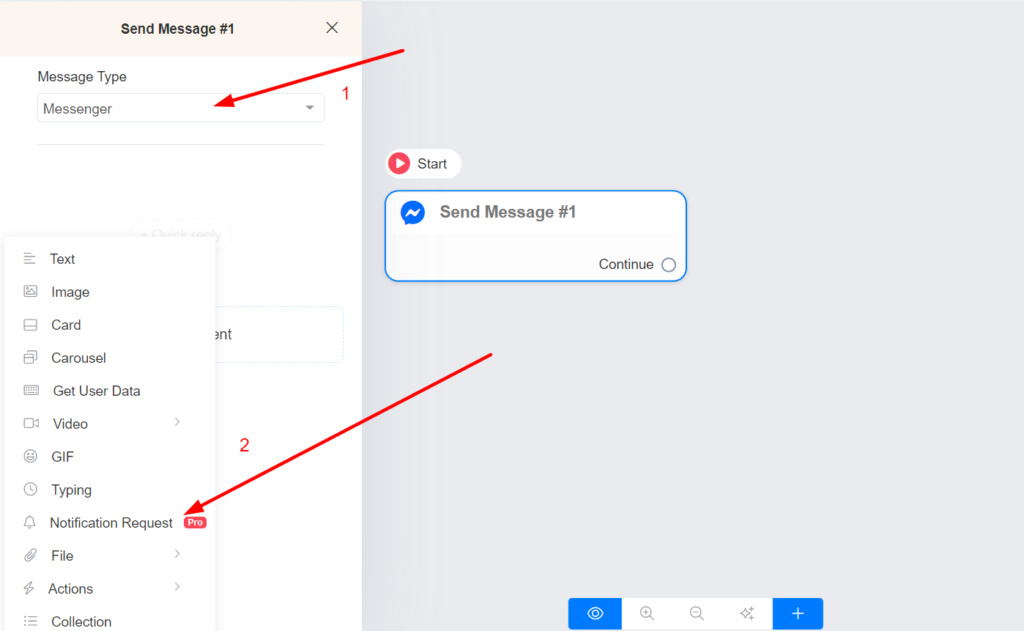
- On the flow builder, select Messenger as the message type.
- Add the “Notification Request” content.
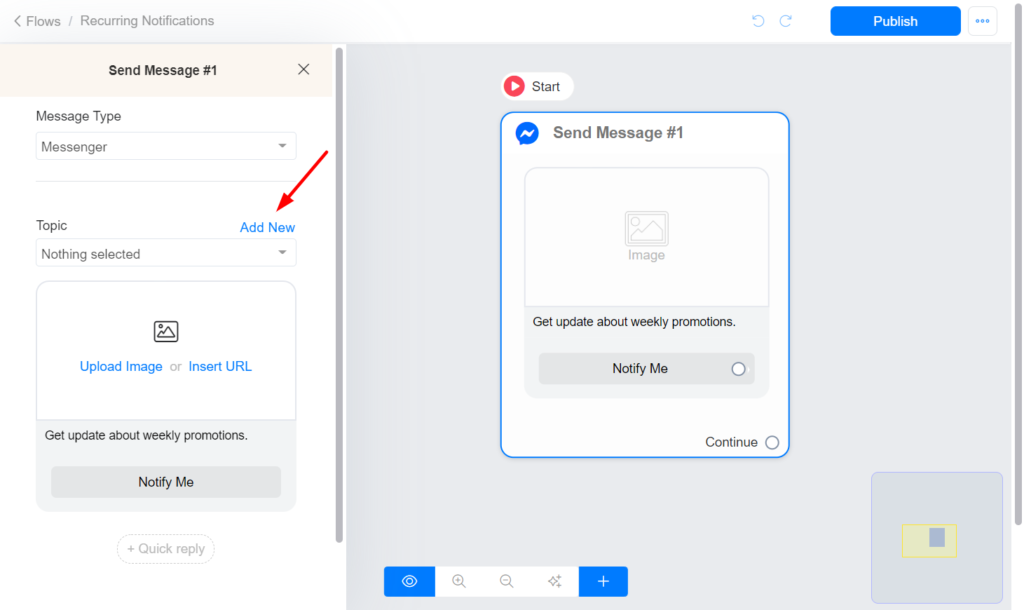
- Choose or create the topic for your marketing messages. The topic name is visible only to admins.
Send a broadcast to your Messenger List.
After a user subscribes to your Messenger List, you can send them a broadcast message in the future. Follow this step to send a broadcast to your Messenger List.
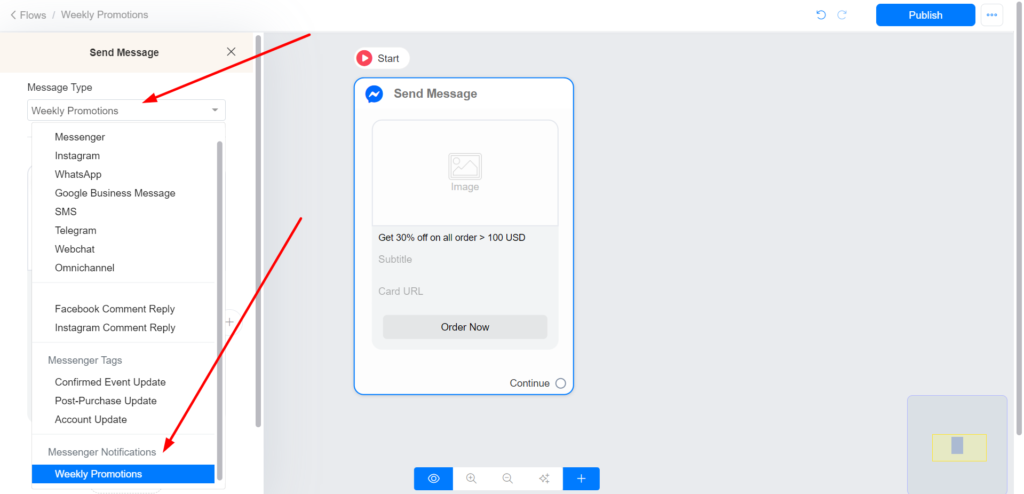
- Create your flow and select your topic as the message type.
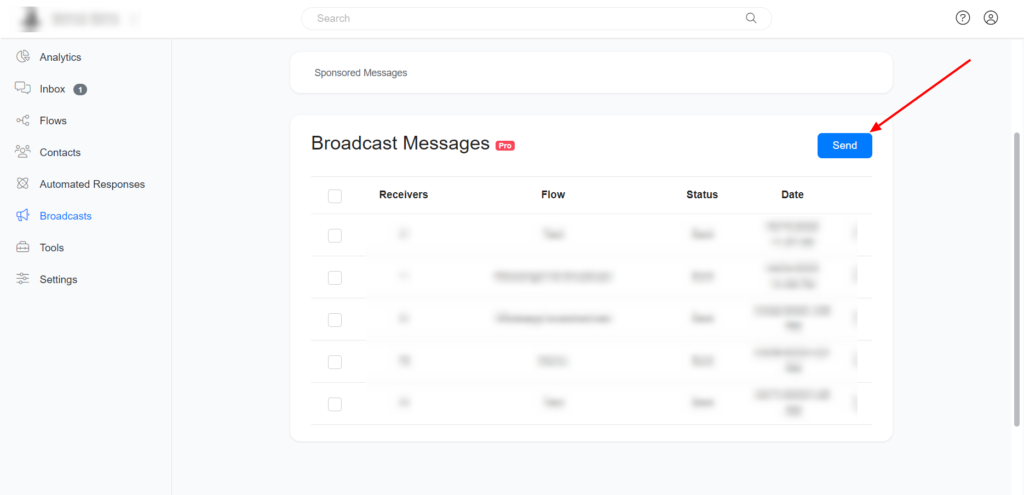
- Navigate to Menu > Broadcasts and click the Send button.
- Choose the Messenger channel and select the Messenger list option.
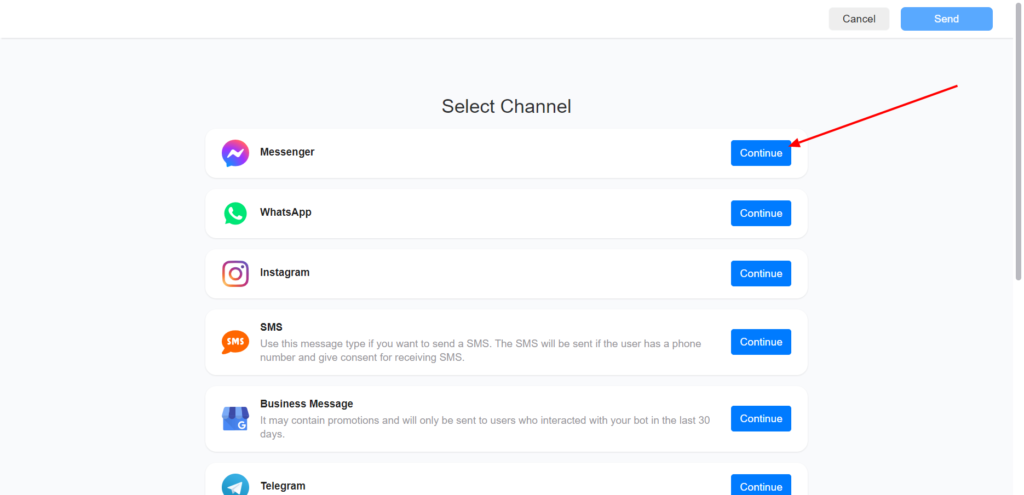
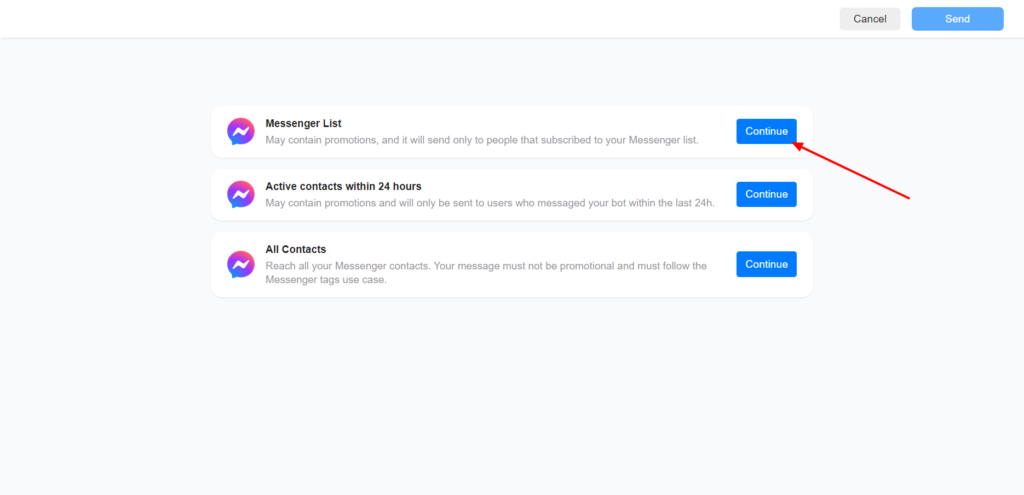
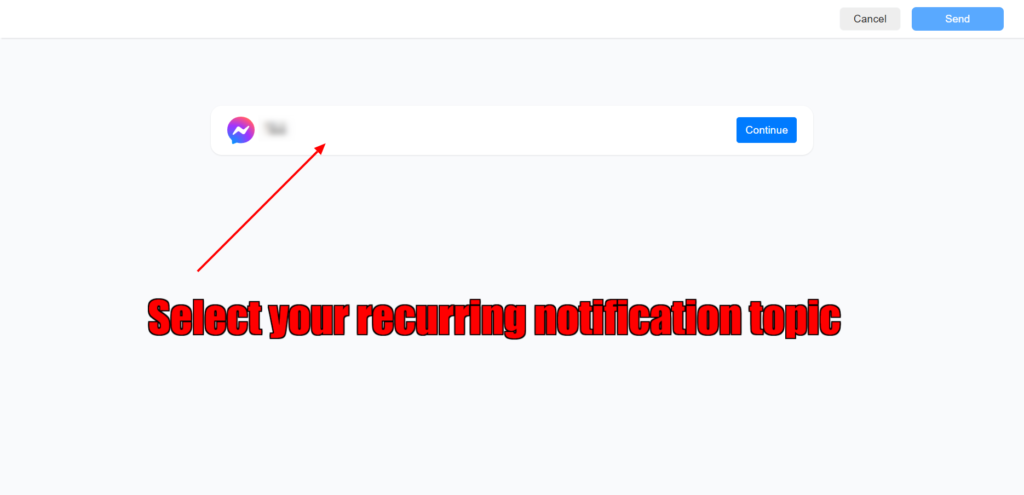
- Select the flow you created in step 1.
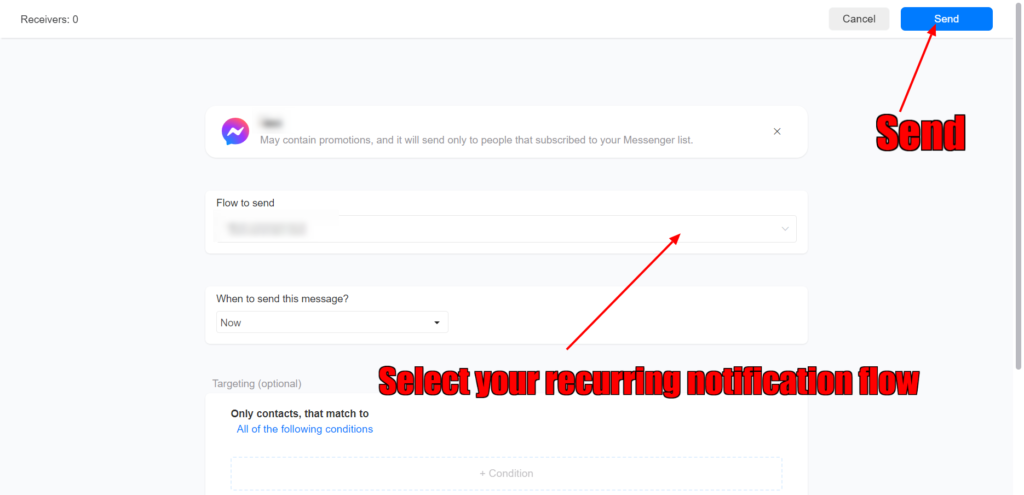
You can also subscribe your contacts to a drip campaign and send them messages using Messenger List. Drip campaigns are a great way to educate your leads by sending them sequences of valuable content over a period of time.
Best Practices
Your business should send people relevant, valuable messages in order to create a high-quality user experience by doing the following:
- Your opt-in request, including the title and image, encompasses the types of messages users can expect to receive, such as product recommendations, offers, etc.
- When sending more than one opt-in request to a user, each opt-in request should clearly state the different, specific types of marketing messages the user can expect to receive.
Limitations
- You must not use Messenger List, including opt-in requests, to spam users. This includes sending duplicate opt-in requests at high frequencies to the same user/s.
- Do not offer users rewards in exchange for opting into Messenger List. This includes tangible or intangible rewards, as well as financial or non-financial rewards, such as coupons, discounts, points, merchandise, cash back, or other rewards or incentives.
- Generally, up to 10 opt-in requests can be sent per user over a 7-day period. A sub-limit of up to 5 opt-in requests may be sent to a user in a day.
Images are supplier reference screenshots and may show the original branding.