Caricamento / Loading
How to add or Import products
1 min read
On Pengo, you can easily add/edit products, import products from Google Sheets, import products from your Woo-commerce store, and Import products from your Meta Catalog in a few steps.
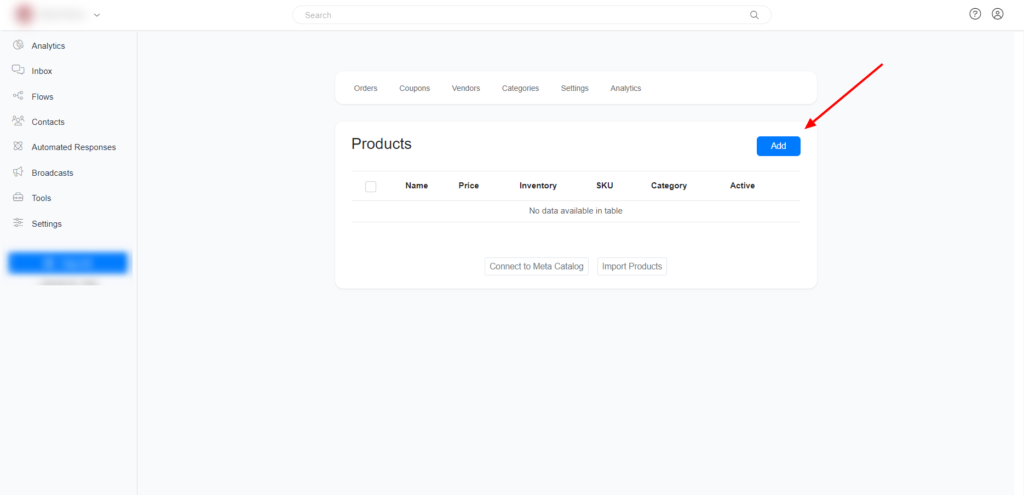
Add Product
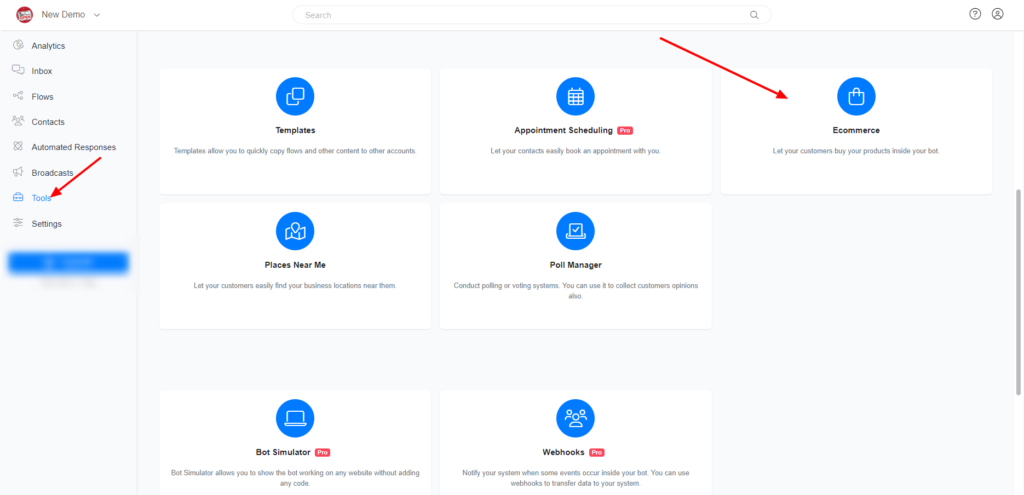
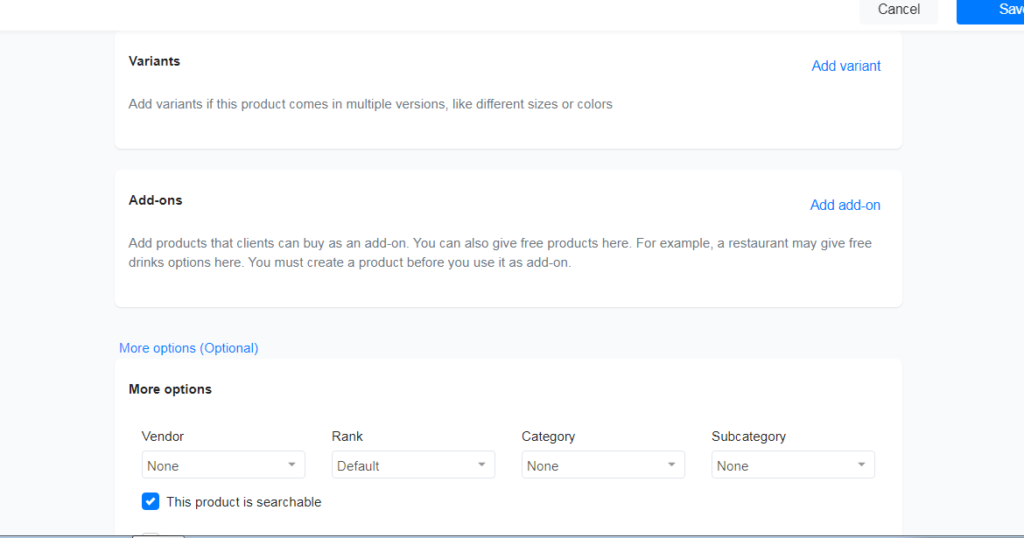
Goto Tools >> Eccommerce >> Add Product
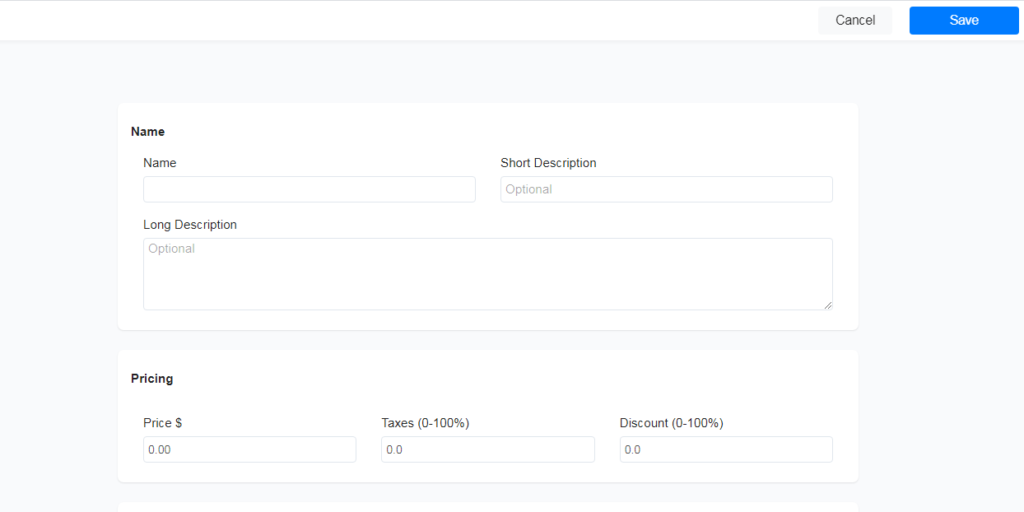
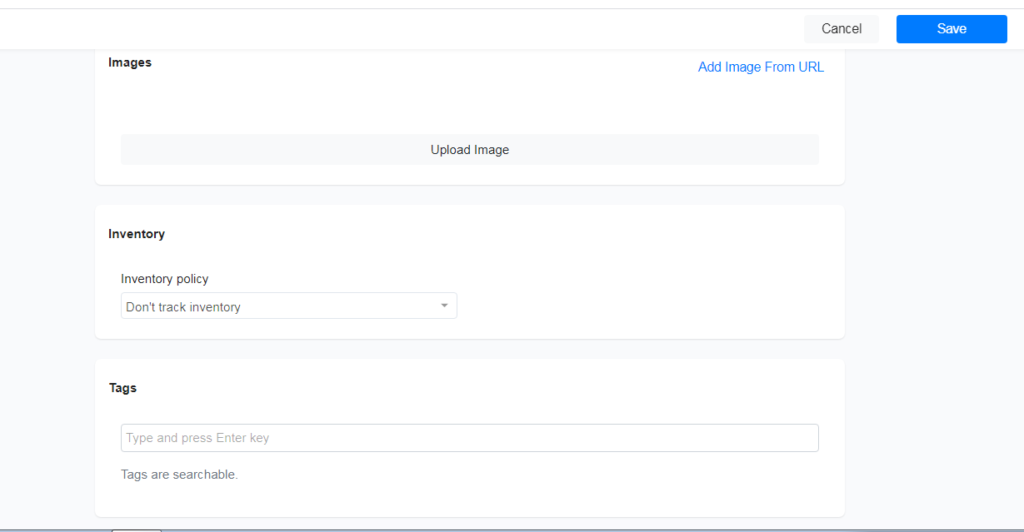
Add your product information
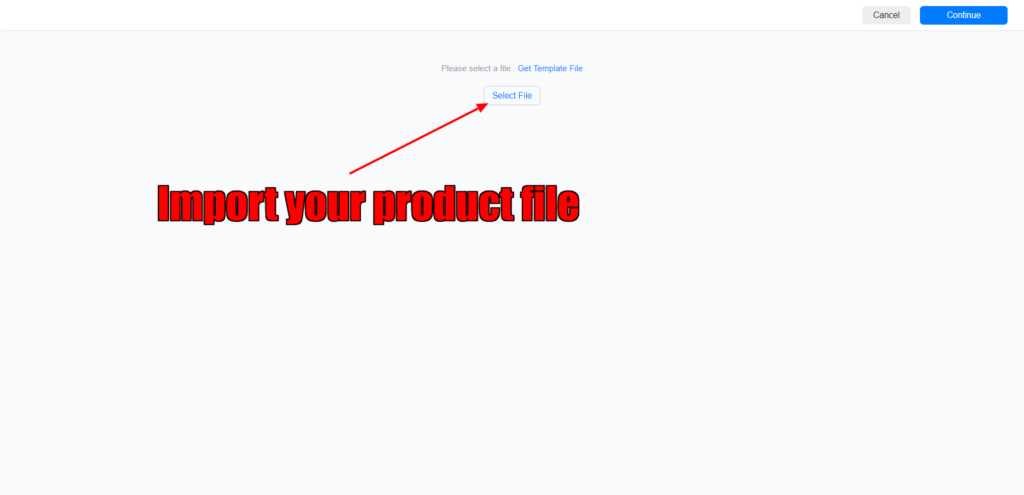
Import Product From Google Sheet/CSV File
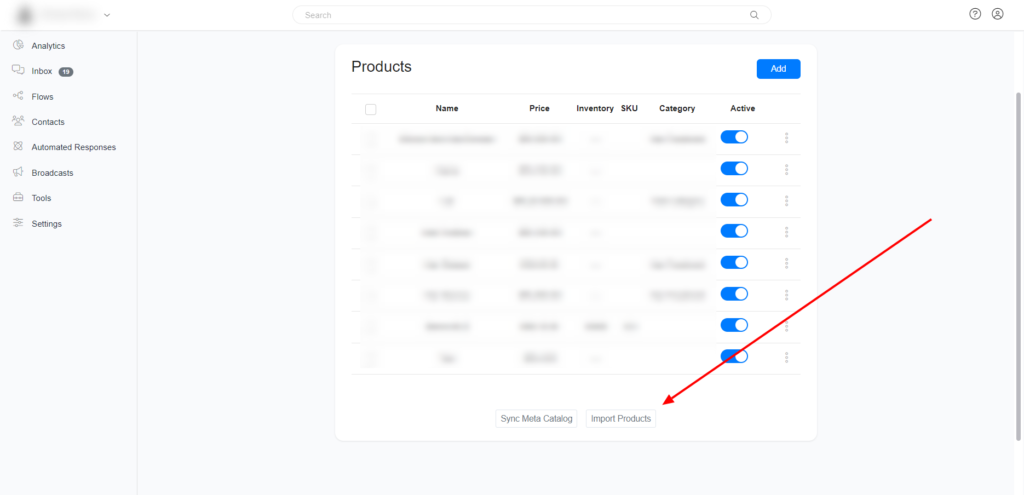
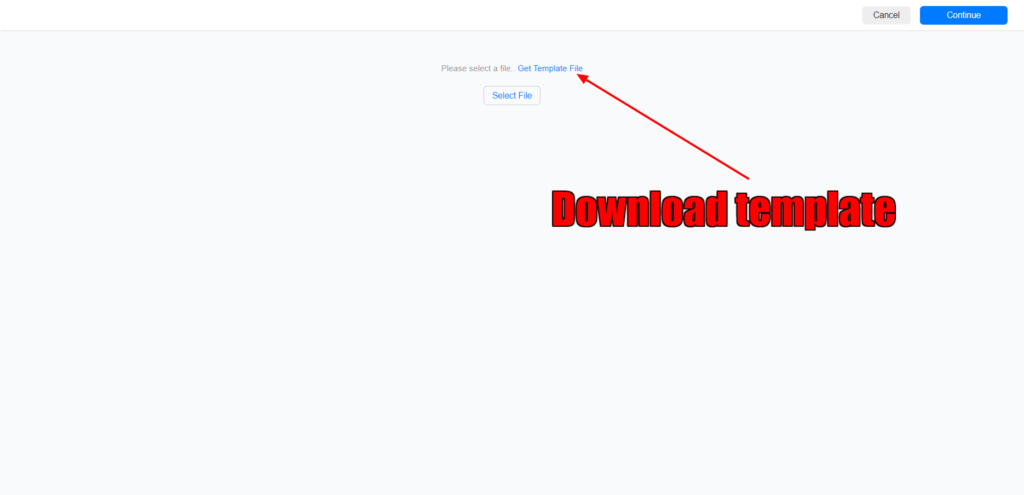
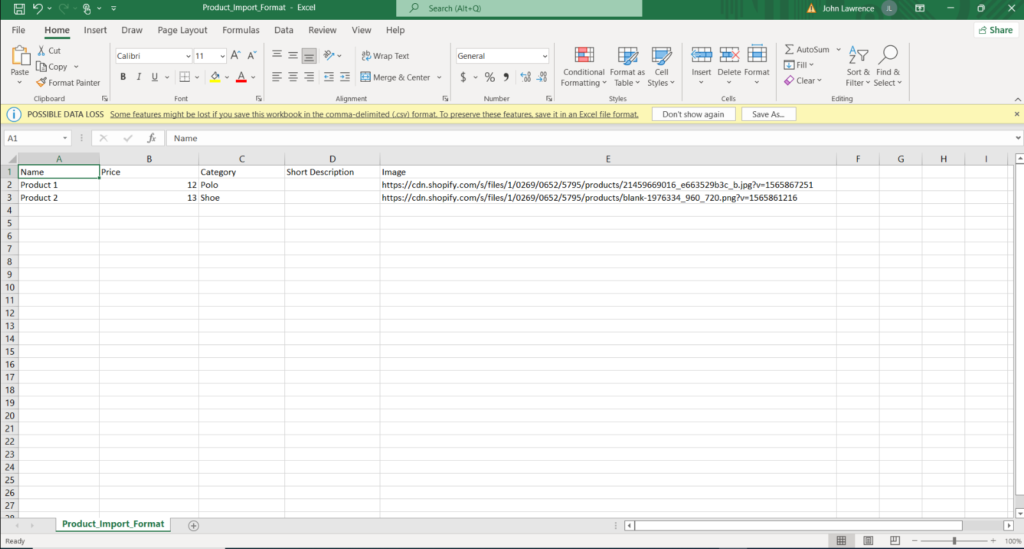
Click on Import Products >> Download Template >> Add your products to Google Sheet/CSV file >> Import your Products.
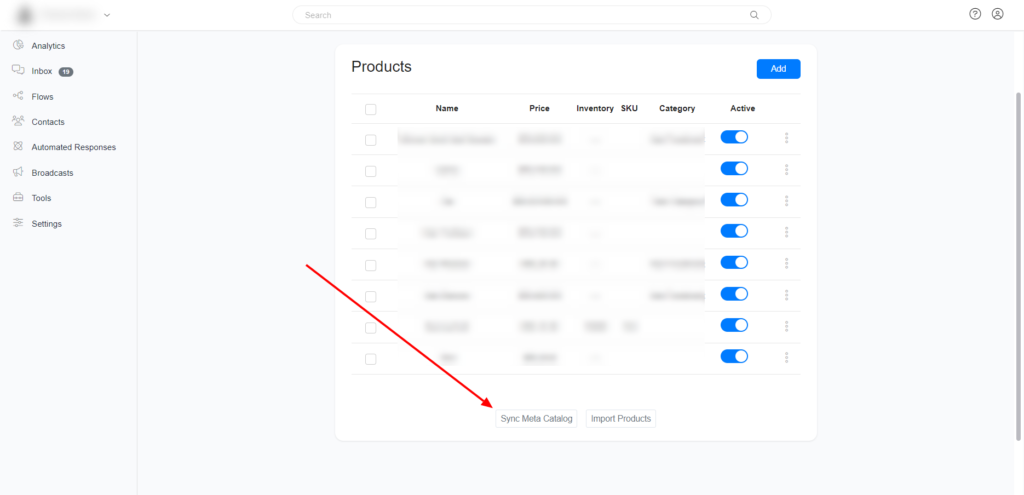
Import Products from Meta Catalog (Whatsapp Commerce)
To import products from Whatsapp Catalog, you need to first follow all the steps on this documentation, then come back to your E-commerce section and click Sync Meta Catalog
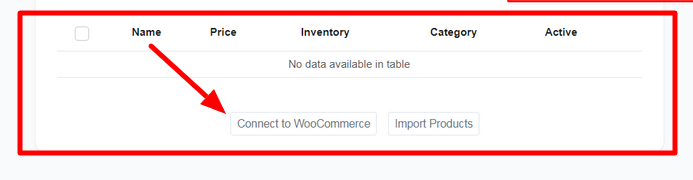
Import Products from your WooCommerce store.
To connect import products from your Woocommerce store, first, you need to go to settings >> Integration >> Woocommerce & connect your store to Pengo.
After connecting your Woocommerce store in the Integration section, go to Tools >> E-commerce. Under the Product tab, click ‘Connect to WooCommerce’ and follow the prompt.
Images are supplier reference screenshots and may show the original branding.