Caricamento / Loading
How to setup a fallback flow
1 min read
Fallback flow is the flow that your bot sends to your customer when the bot does not know how to respond to the user’s message. When the user message doesn’t match any Keyword and the business account is not using any AI, such as OpenAI, or the AI fails for any reason, the Fallback flow is triggered.
To create your Fallback flow, go to Flows and create a new flow.
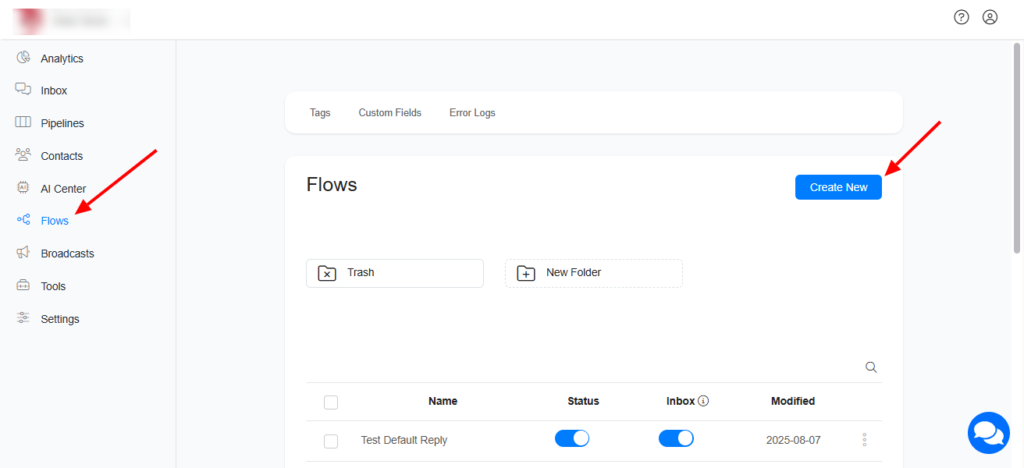
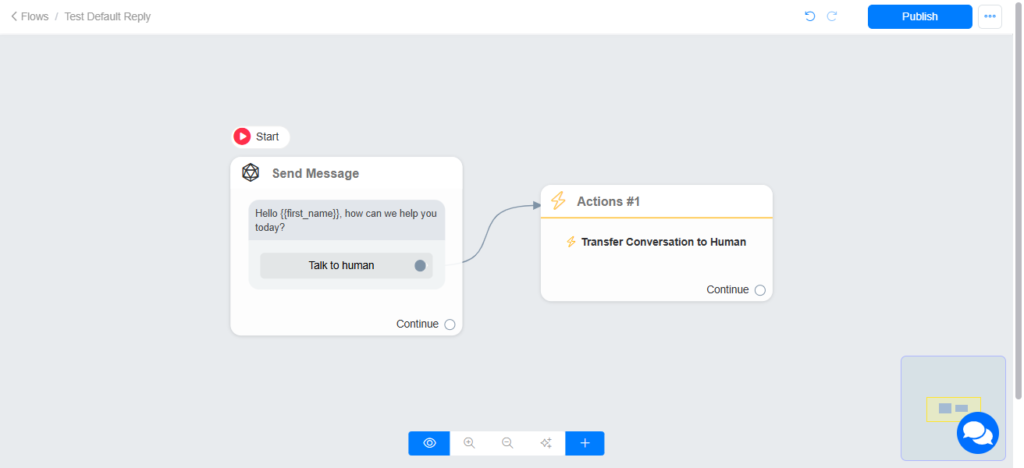
Setting the Fallback flow
To set a fallback flow for your bot, navigate to Settings and select the flow you want to use as a fallback flow.
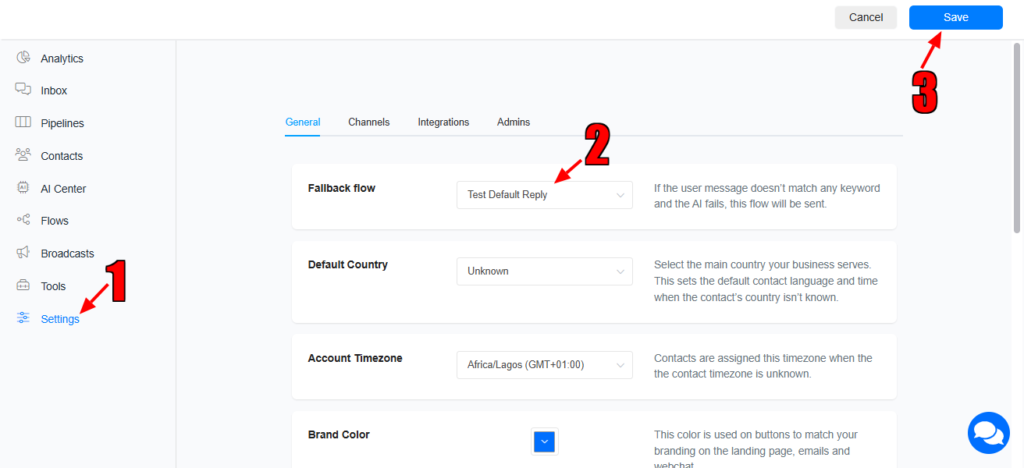
The fallback flow is sent whenever the bot is unable to handle the customer’s message. To prevent users from receiving the same content repeatedly, we strongly advise creating a flow that allows users to stop the bot and connect with a human agent.
Automation priority
1 – Keywords (if a match is found)
2 – OpenAI
3 – Claude
4 – Gemini
5 – xAI
6 – DeepSeek
7 – Fallback Flow
Images are supplier reference screenshots and may show the original branding.