Caricamento / Loading
How to notify admins?
2 min read
This feature lets you notify an admin when certain events happen on your account or within your flow/automation.
Setting up notifications on the admin tab.
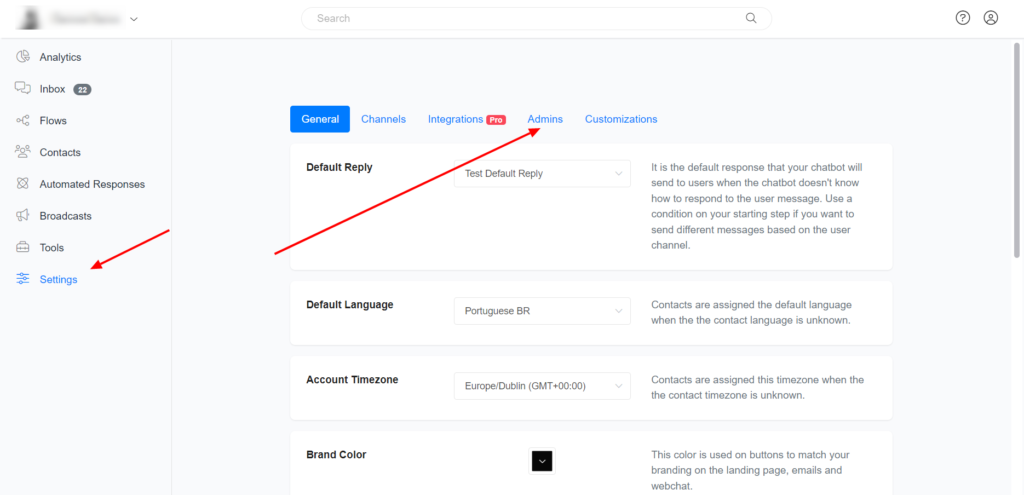
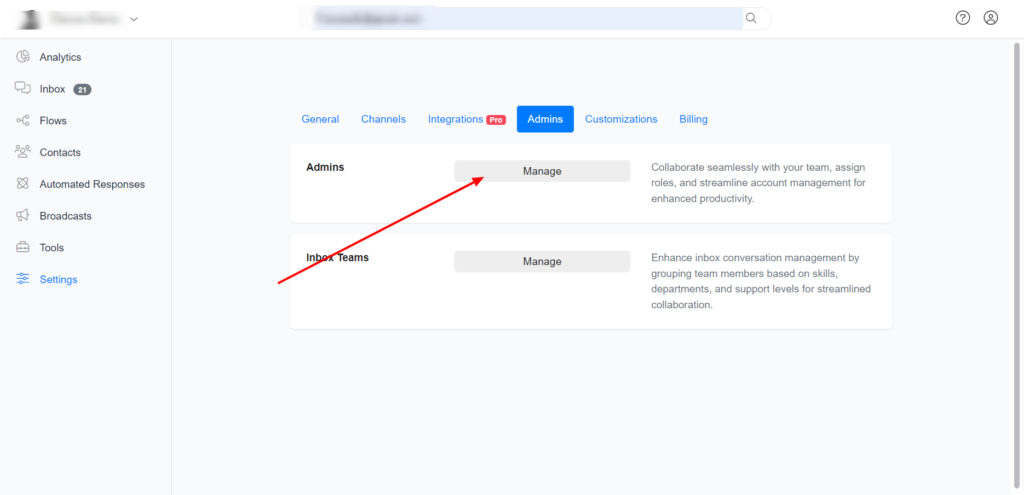
Goto settings >> Admins >> Manage >> Select Admin >>
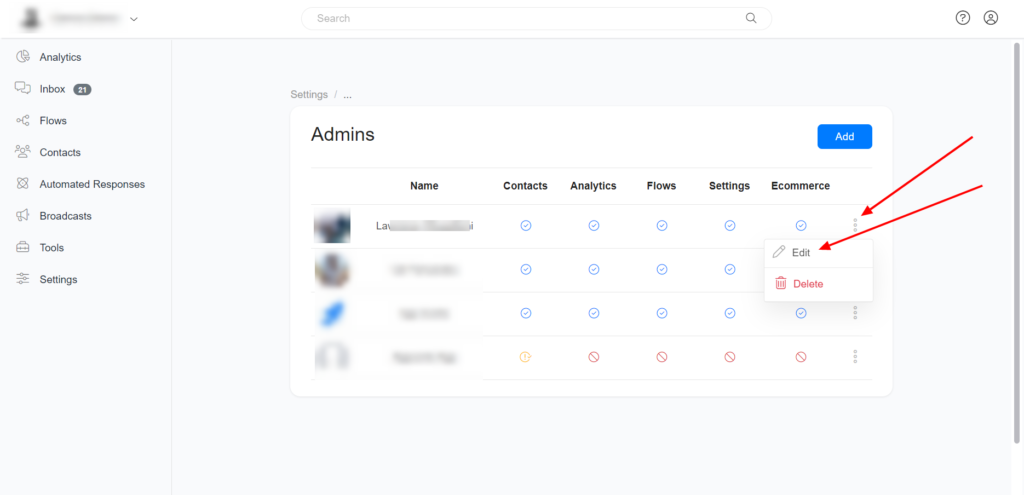
Set the type of notifications you want and the Channels you wish to receive notifications.
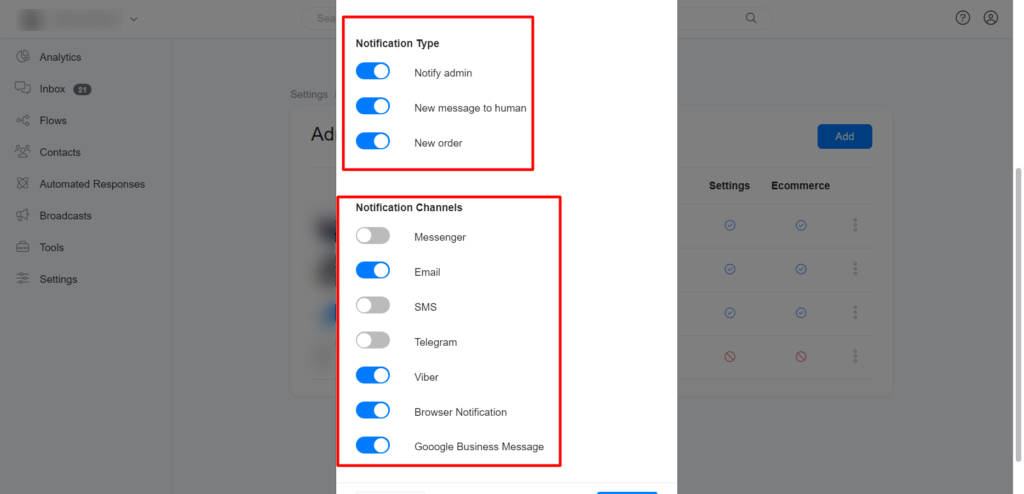
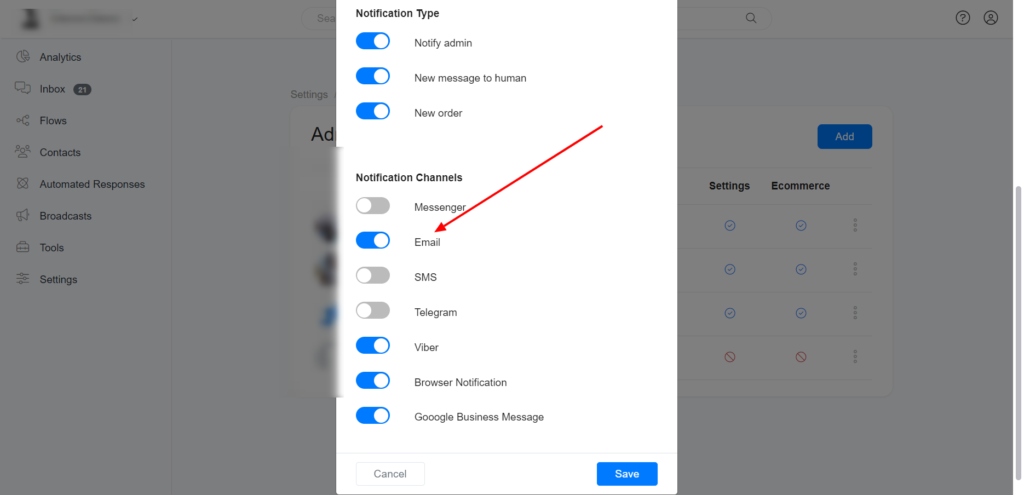
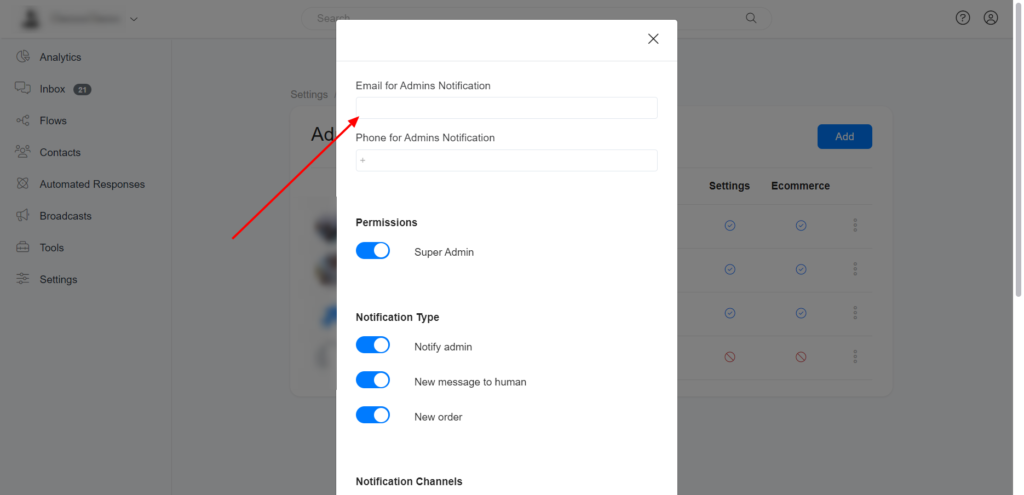
Receive notifications via Email.
This is highly recommended. Enable Email on notification Channels & Input your email address to receive notifications via Email.
Receive notifications on Messenger.
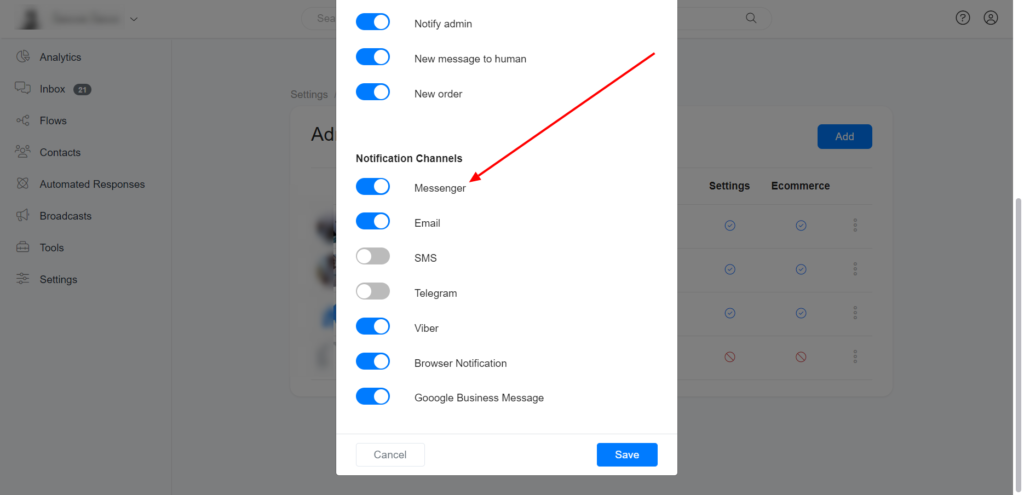
We do not recommend you receive notifications on Messenger Channel as it requires you to interact with your Messenger Bot daily to ensure you are within the 24hrs window.
To receive notifications on Messenger, Enable Messenger on notification Channels.
Receive notifications on Telegram.
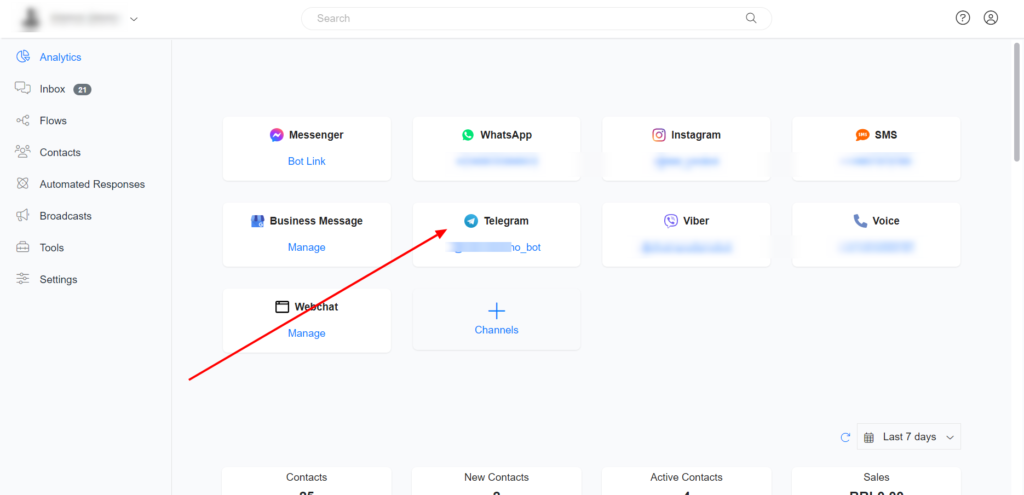
Create Telegram Bot on your account >> Create a Telegram flow & preview the Telegram flow >> Enable Telegram on notification Channels.
Create Telegram Bot on your Account
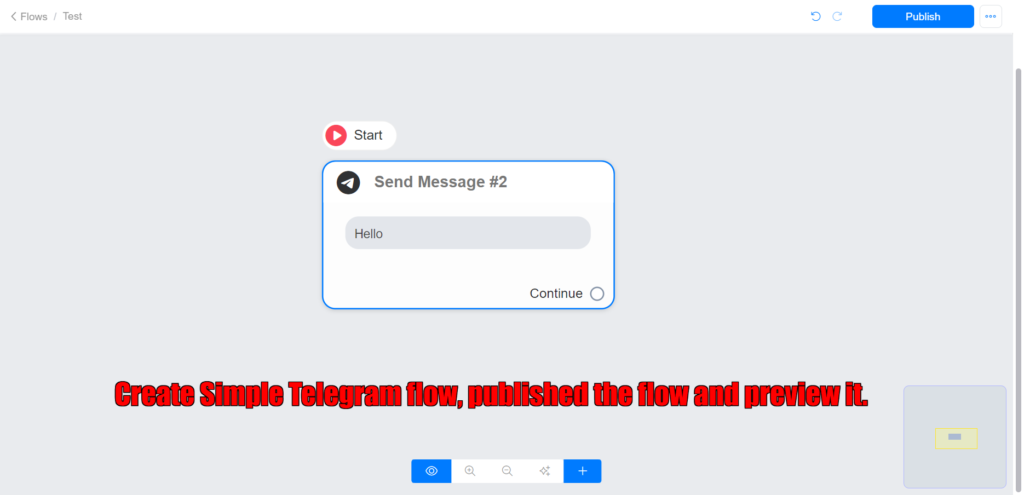
Create a simple Telegram flow >> publish the flow & preview the flow.
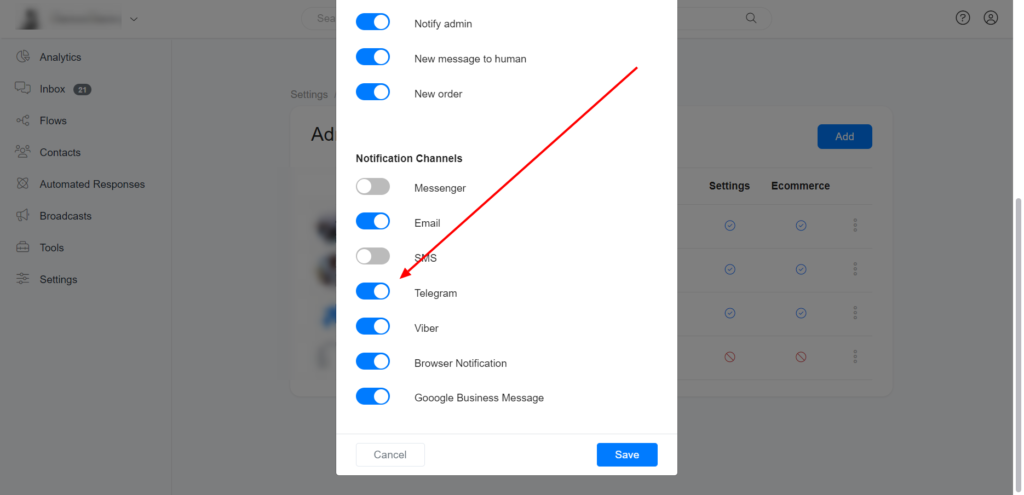
Enable Telegram on notification Channels.
Receive notifications on Viber.
Create Viber Bot on your account >> Create a Viber flow & preview the Viber flow >> Enable Viber on notification Channels.
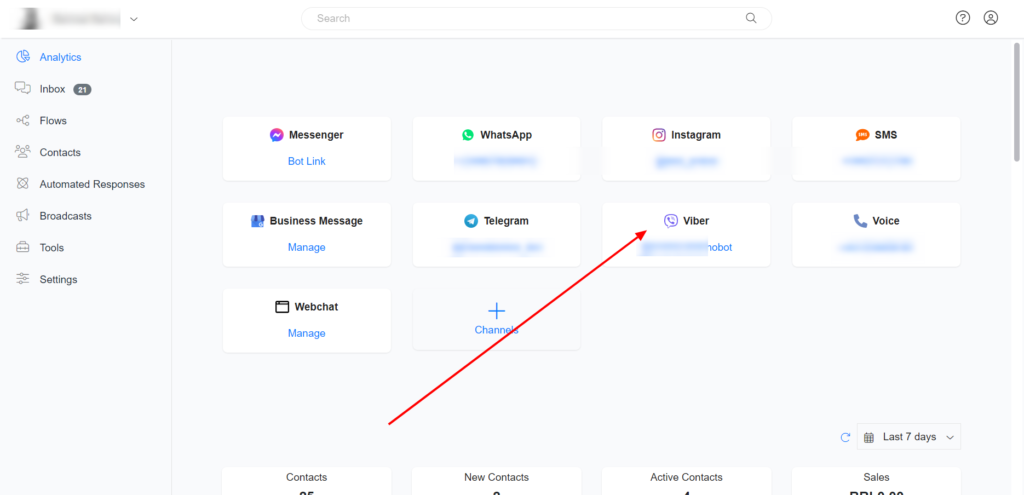
Create a Viber bot on your Account
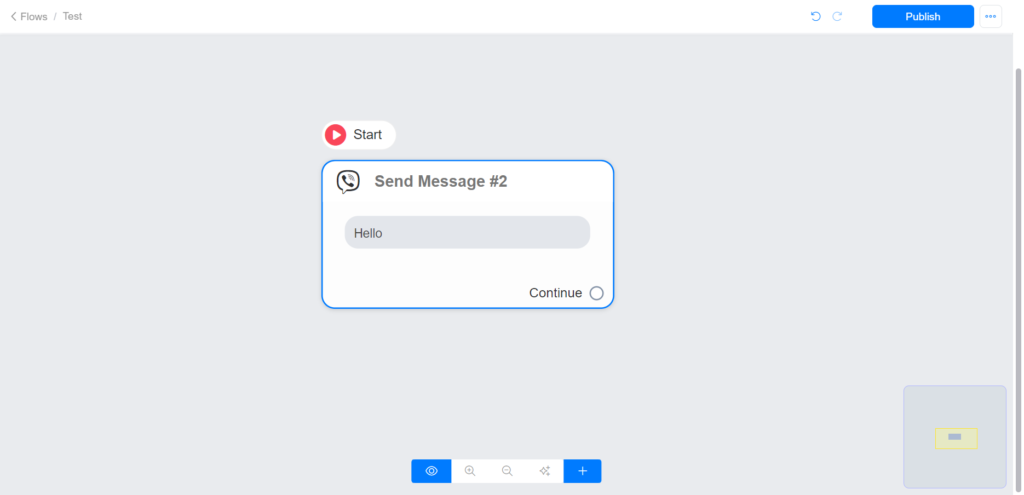
Create a Viber flow >> publish the flow & preview the flow.
Enable Viber on notification Channels
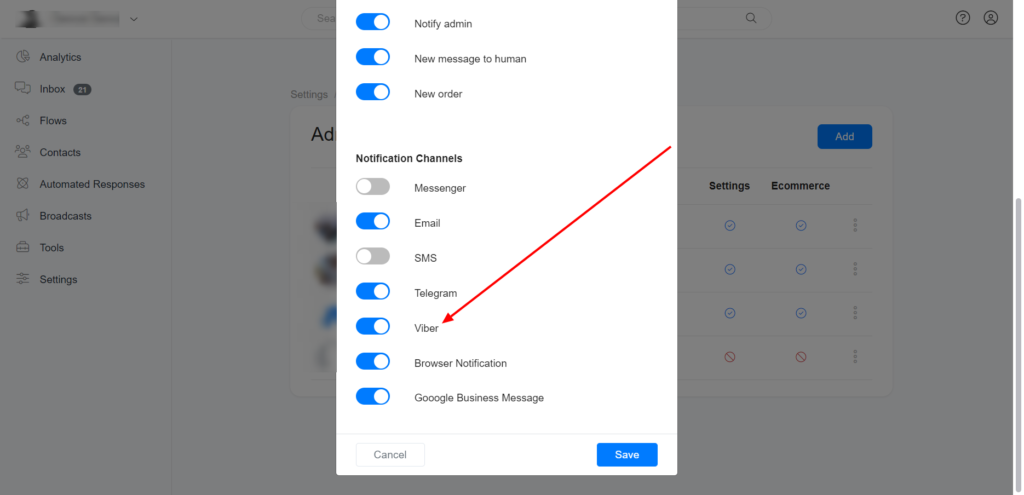
Receive notifications via Google Business Message.
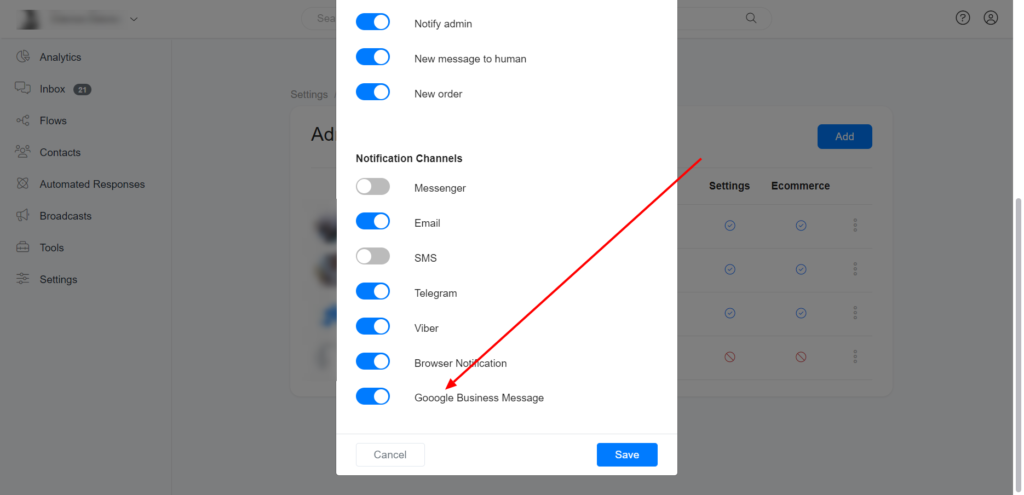
Create Google Business Message Bot on your account >> Create a Google Business Message flow & preview the Google Business Message flow >> Enable Google Business Message on notification Channels.
Create Google Business Message Bot on your Account
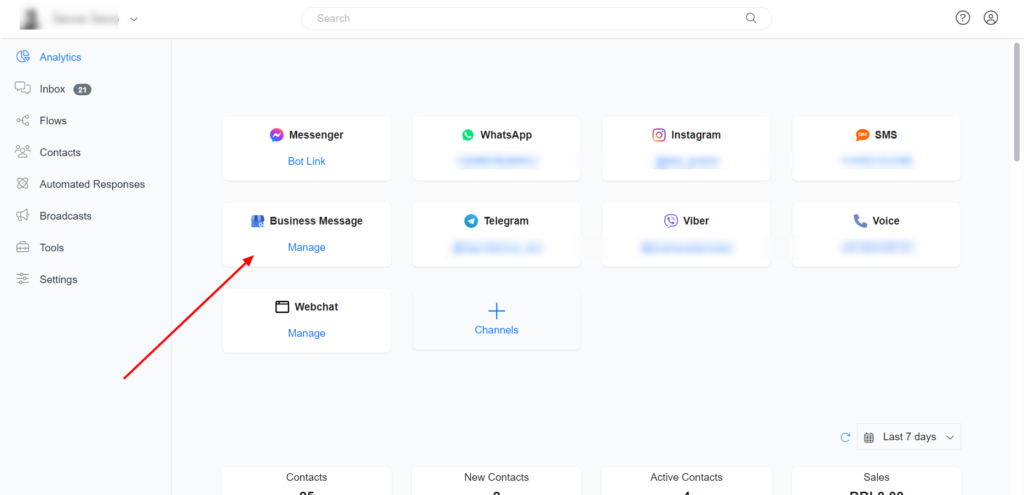
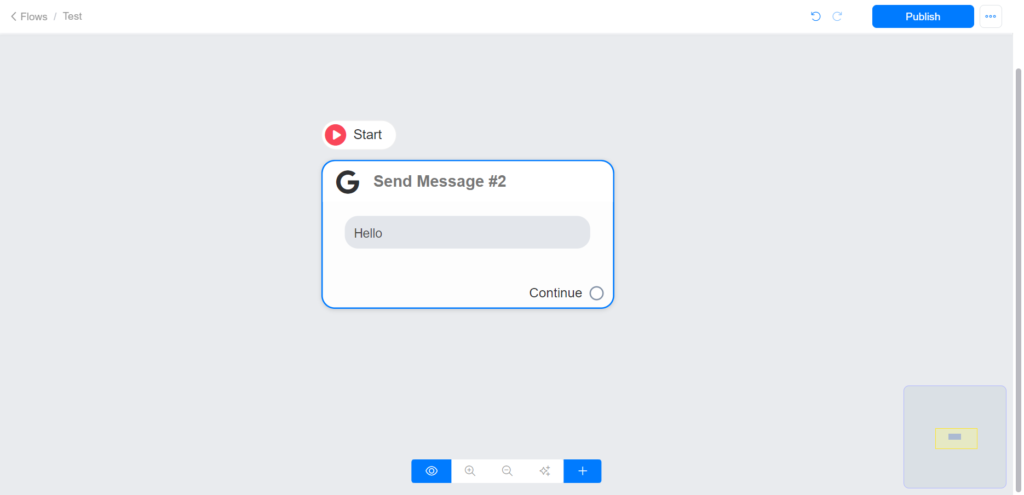
Create Google Business Message flow >> publish the flow & preview the flow.
Enable Google Business Message on notification Channels.
How to use Notify Admin Action in Flow Builder.
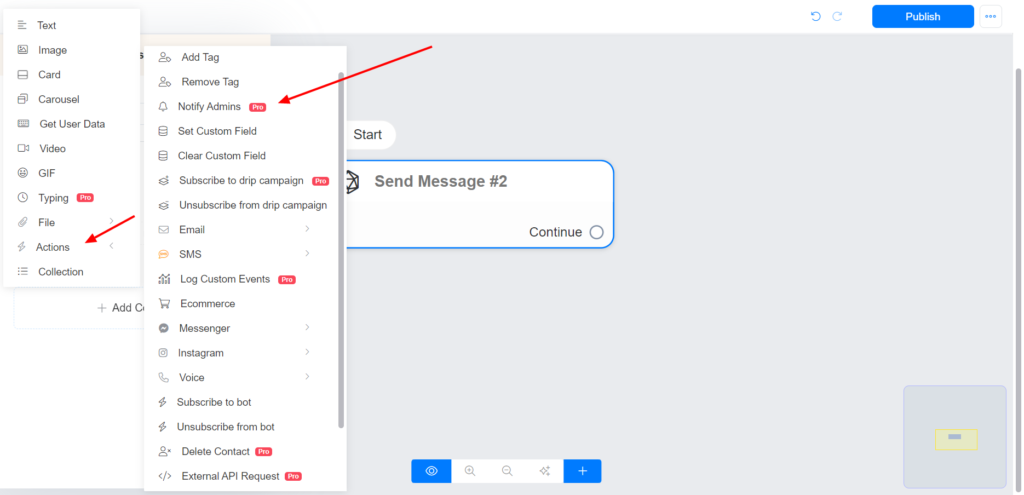
Select Action >> Notify Admin >> Select the Admin you want to notify & Input the notification text/message.
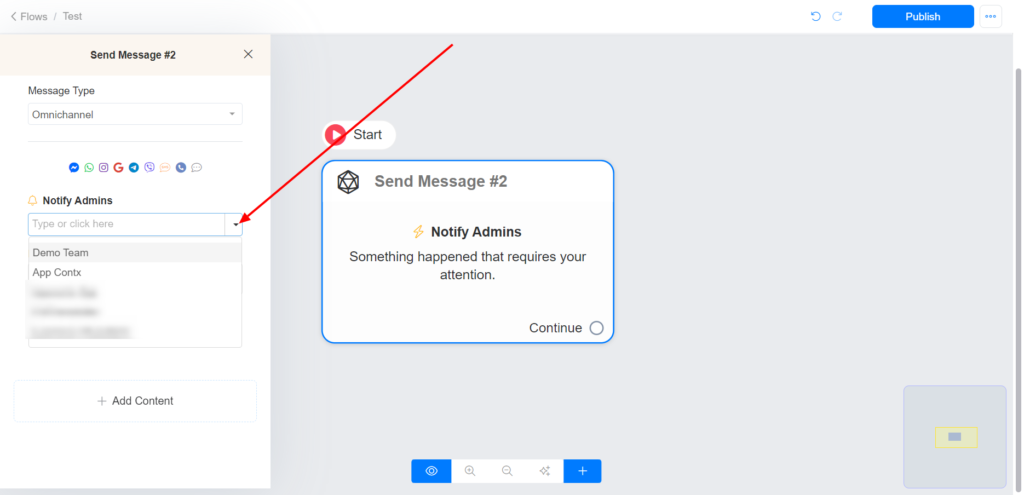
Select the Admin or Team you want to notify.
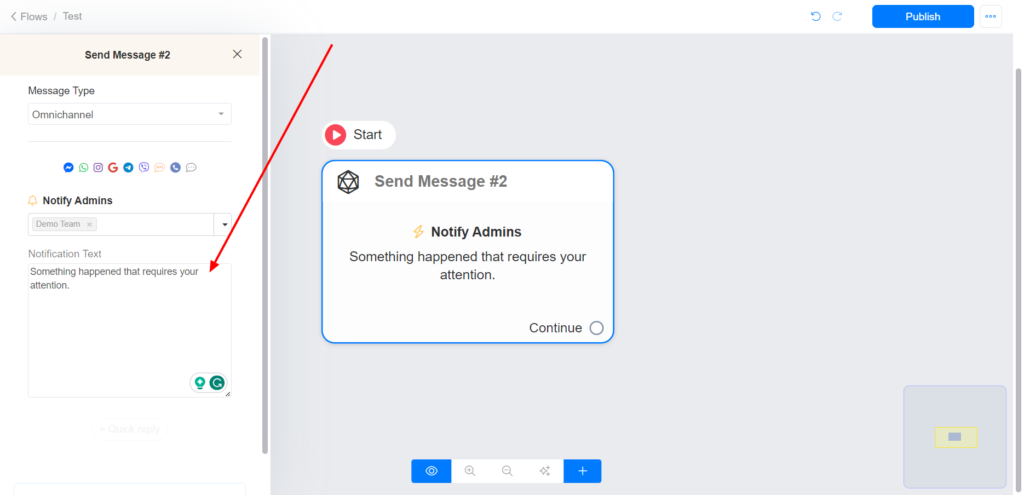
Input the notification text/message.
Images are supplier reference screenshots and may show the original branding.